Products
GalleryAbout
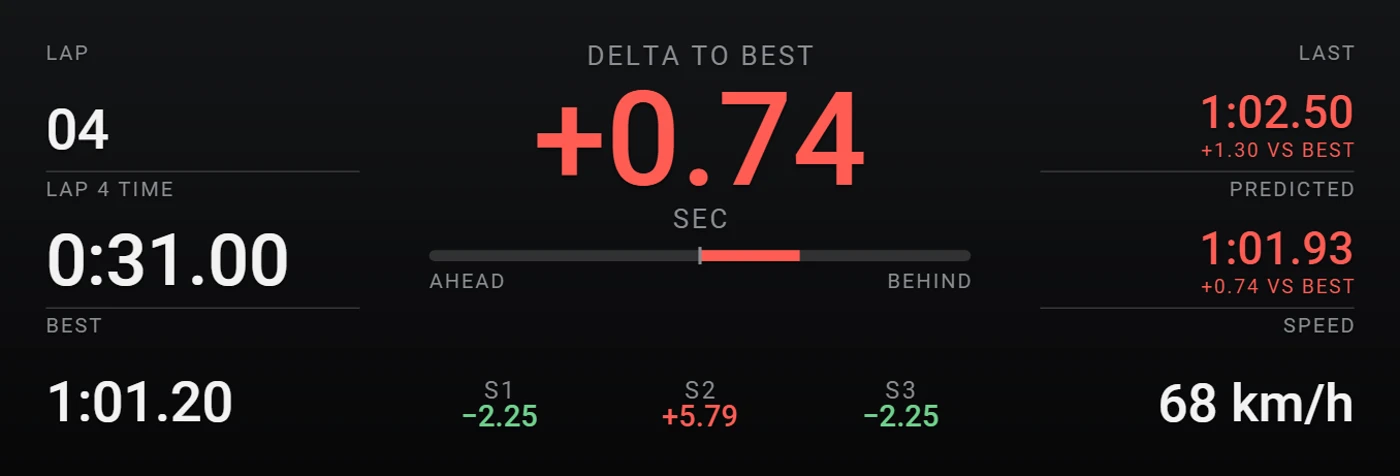
A lap and delta overlay: a large red delta to best of plus 0.74 seconds with an ahead and behind bar, sector deltas, last and predicted lap times.
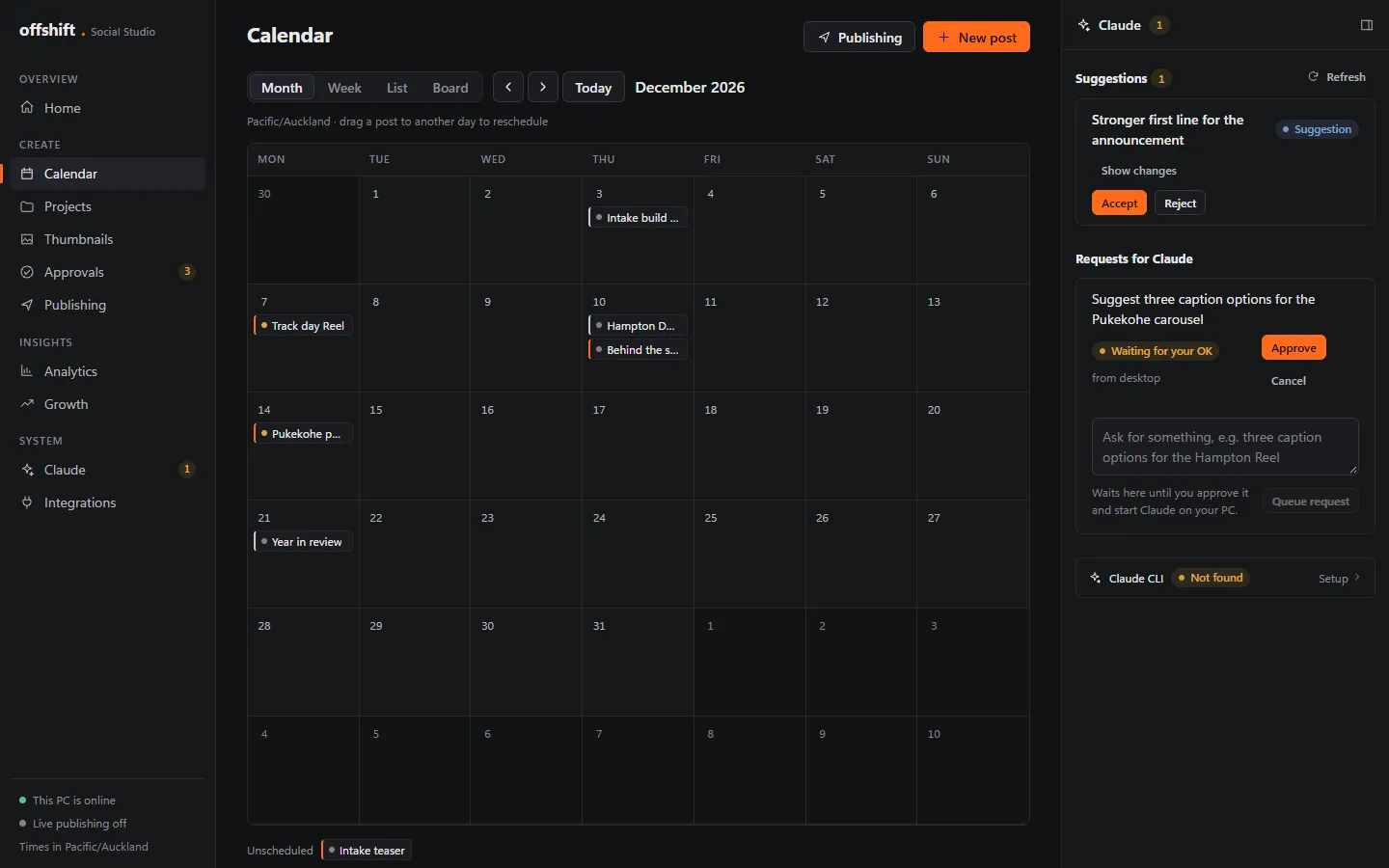
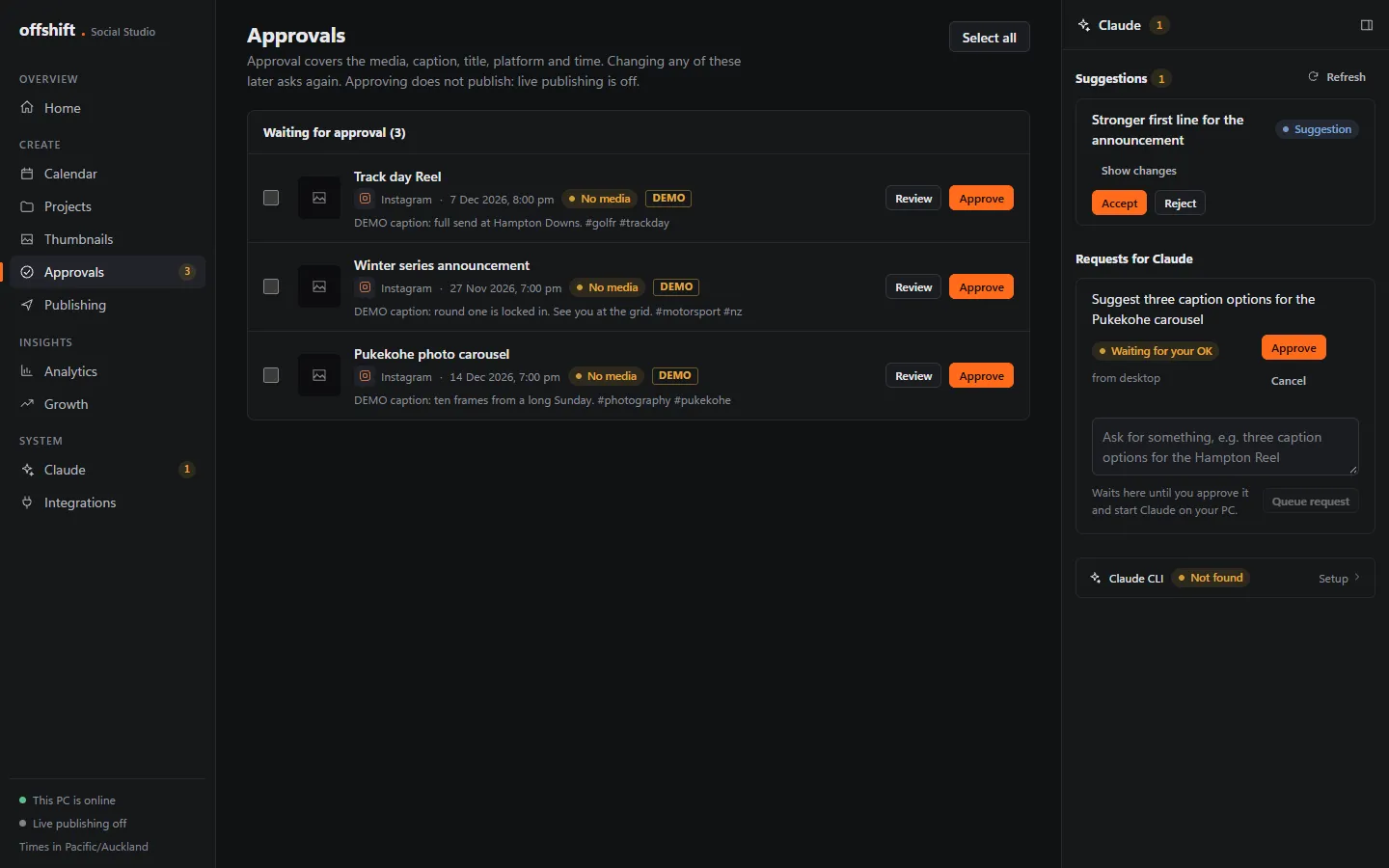
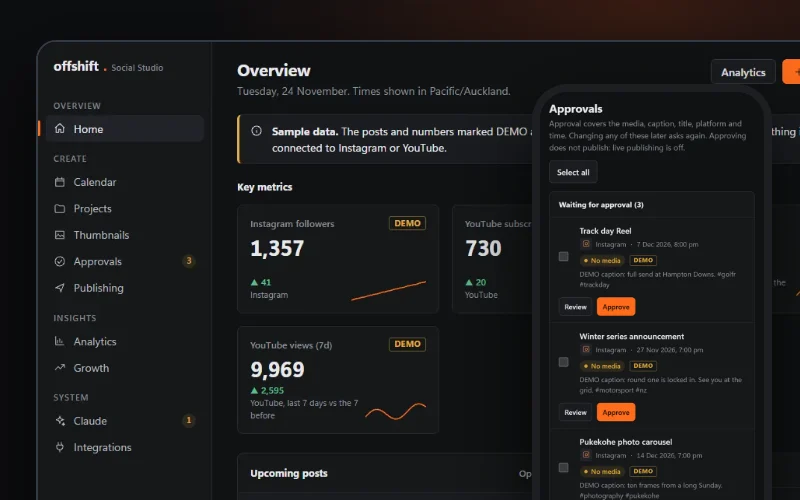
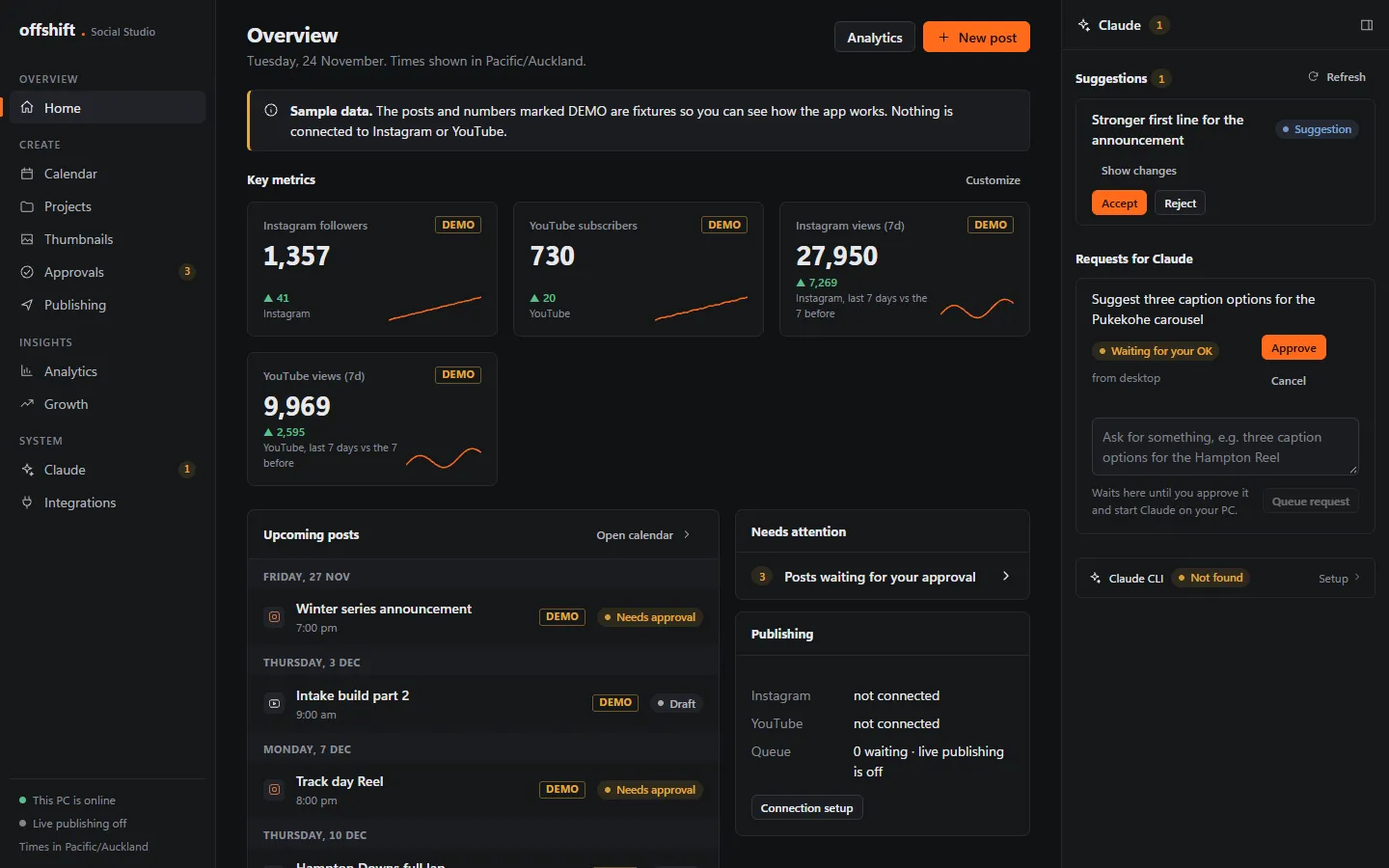
Offshift Social Studio overview on sample data, every tile marked DEMO.
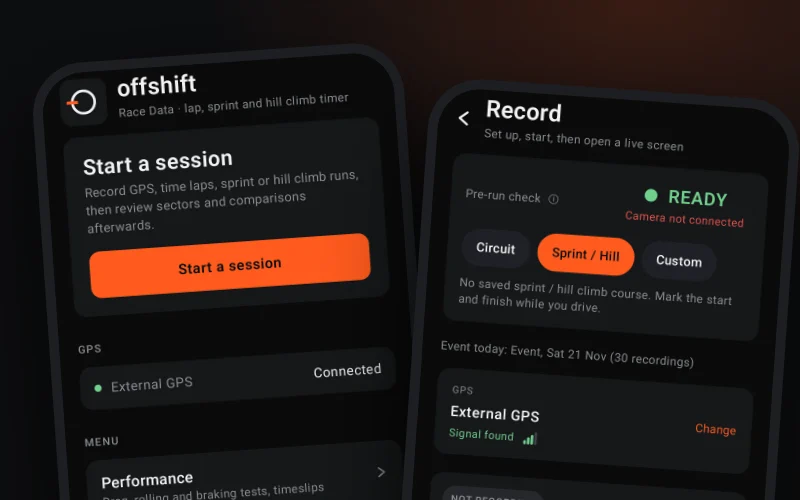
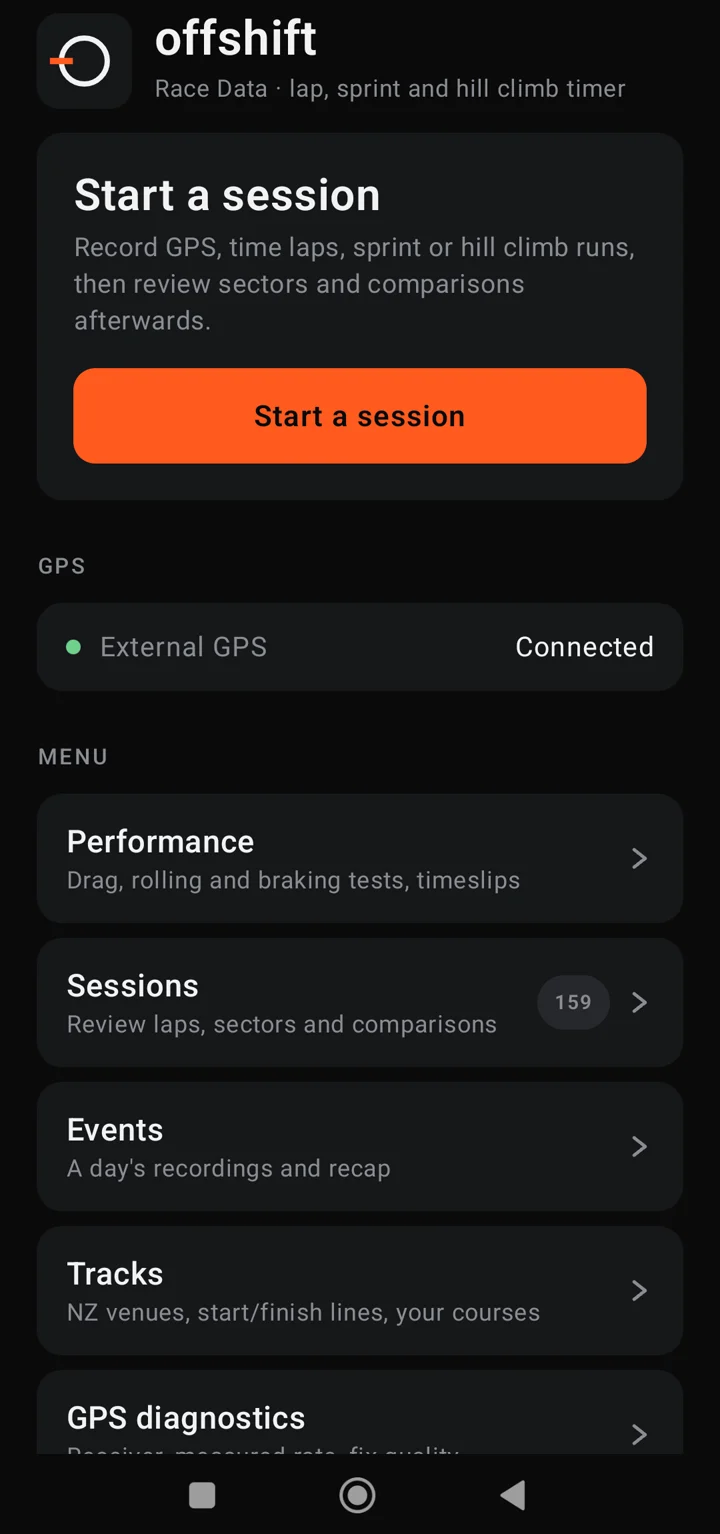
The Offshift Telemetry home menu on an Android phone.

Offshift · Independent software · New Zealand

Software for the whole race weekend.

Four independent products for timing laps, filming them, judging the racing and sharing it.

Explore the products See the screens

Every number is labelled.
Every screen is real, or says it isn’t.

Android · In development

Offshift Telemetry

Lap, sprint and hill climb timing from GPS. On your phone, offline.

  • Gate crossings interpolated and graded, never silently dropped.
  • Live delta at matching distance, hidden when it can’t be trusted.
  • Offline on the phone. No account, no analytics.

Explore Telemetry All features

Track and dot above are an illustration, not recorded data.

The offshift home screen from the top: a Start a session card with an orange button, external GPS connected, then the menu: Performance, Sessions, Events and Tracks.

Real screen capture

Offshift Telemetry · real screens

What it looks like on the phone.

From the home screen to starting a session, the live screen and the results. Captured on a phone; simulated runs are labelled in the app itself. Swipe sideways. Tap an image to enlarge it.
The offshift home screen from the top: a Start a session card with an orange button, external GPS connected, then the menu: Performance, Sessions, Events and Tracks.
Real screen captureHome: Start a session sits at the top, with GPS status and the menu below. Captured on the developer’s phone.
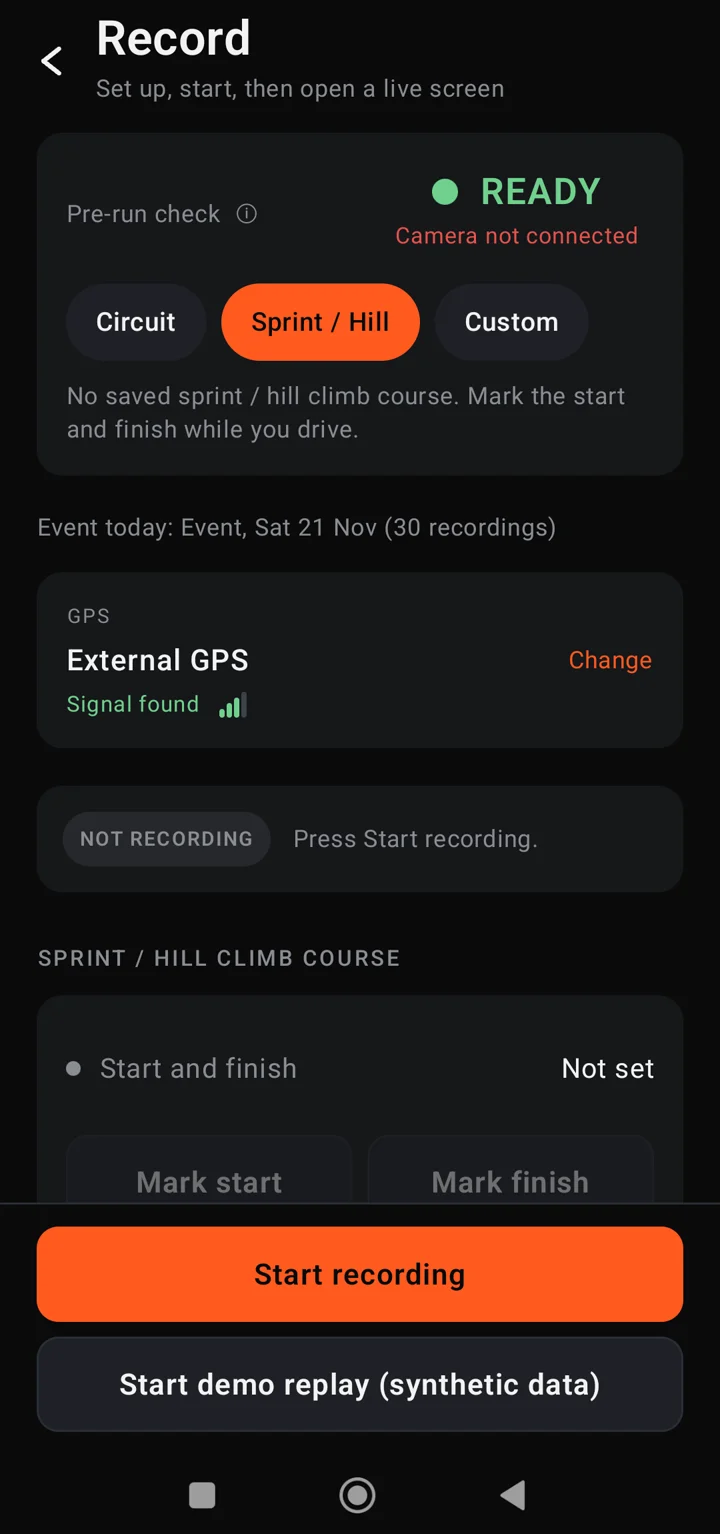
The Record screen: a green READY pre-run check, Circuit, Sprint / Hill and Custom session types, external GPS with signal found, start and finish marking, and Start recording and Start demo replay buttons.
Real screen captureStart a session: pre-run check, session type and GPS source, then Start recording. The GPS receiver’s ID is hidden.
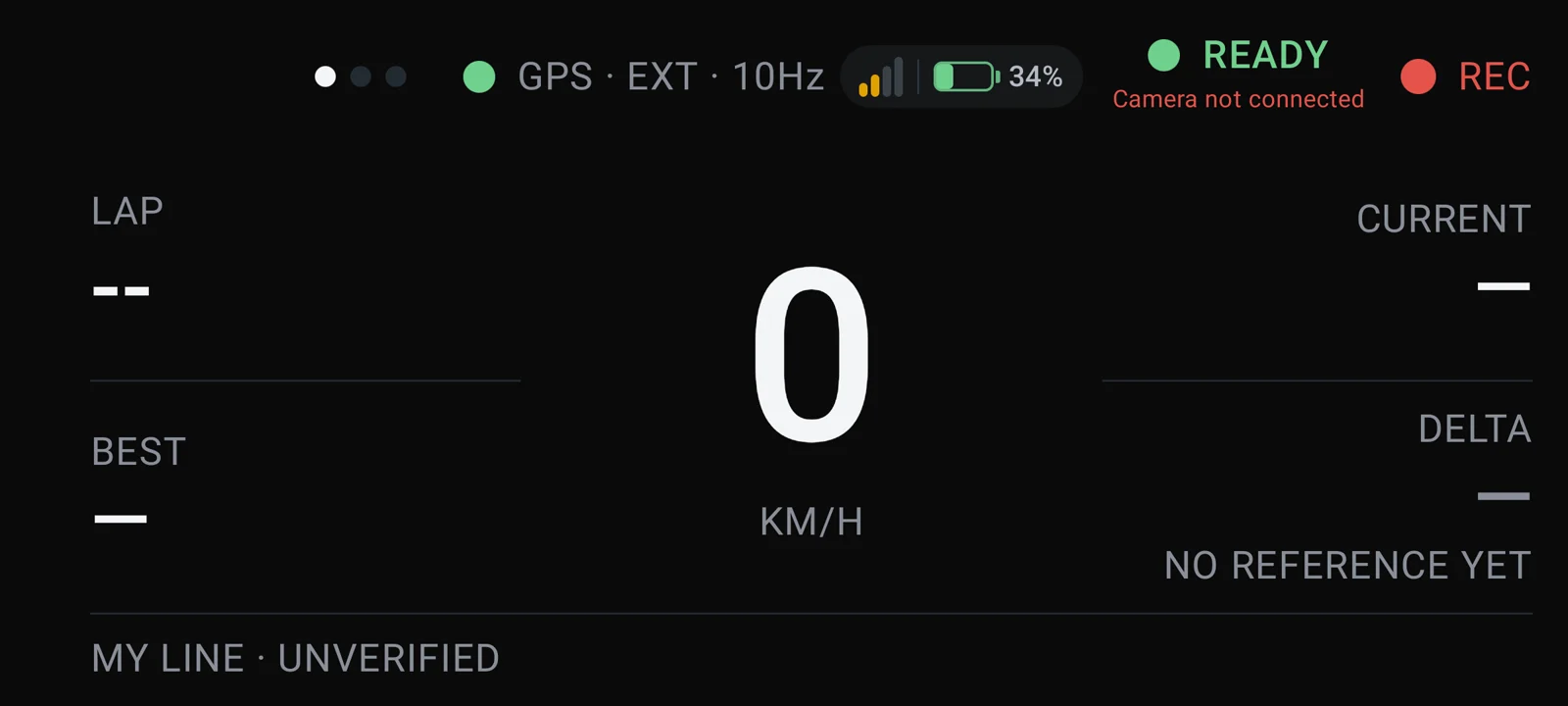
A landscape live screen before setting off: external GPS at 10 Hz, battery, a green READY indicator, a REC button, speed 0 km/h and no reference lap yet.
Real screen captureThe live screen before setting off: GPS rate and READY check up top, big speed in the middle.
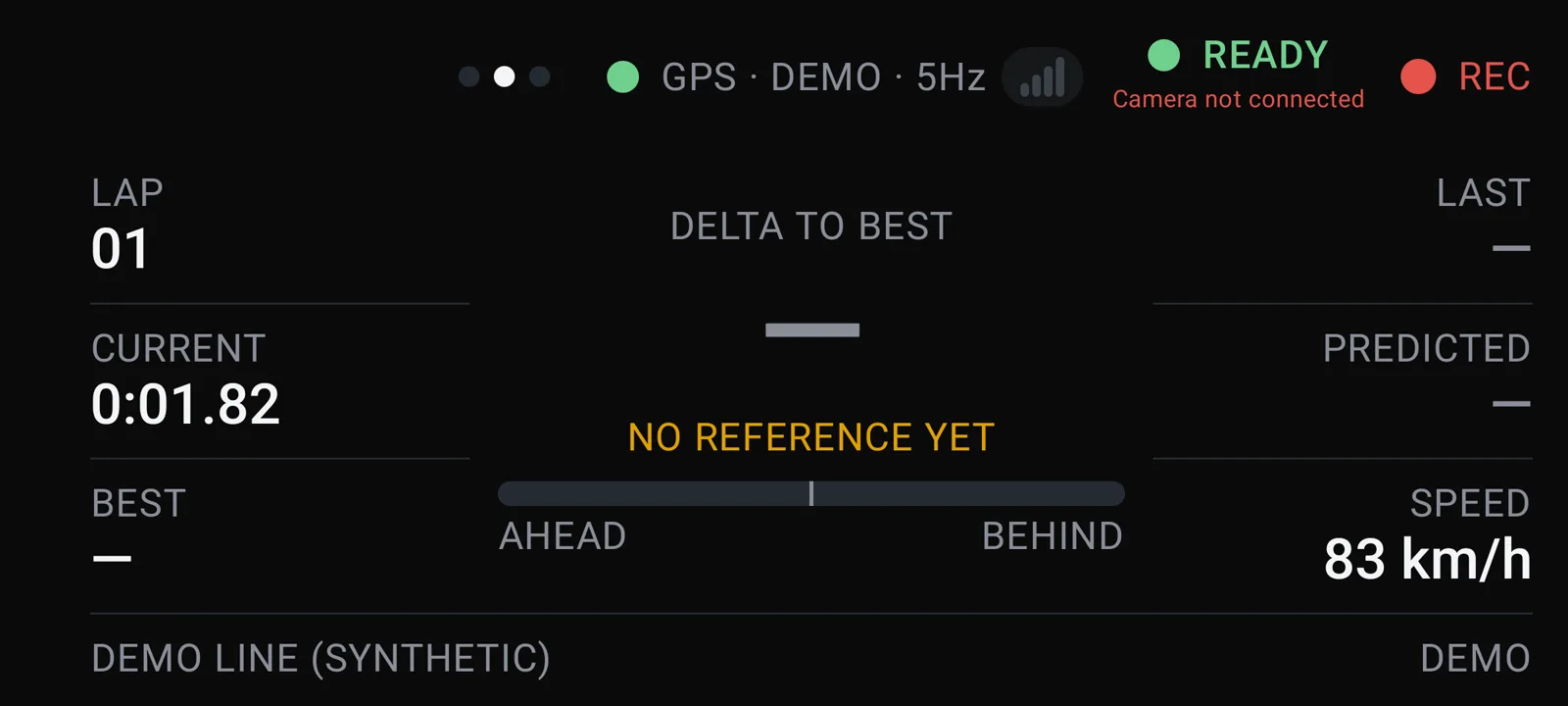
A landscape live dashboard page for lap and delta: lap, current time, delta to best with a bar, best and speed, showing NO REFERENCE YET.
Real screen captureLive screen, lap and delta page, in demo mode. With no reference lap it says so instead of guessing.
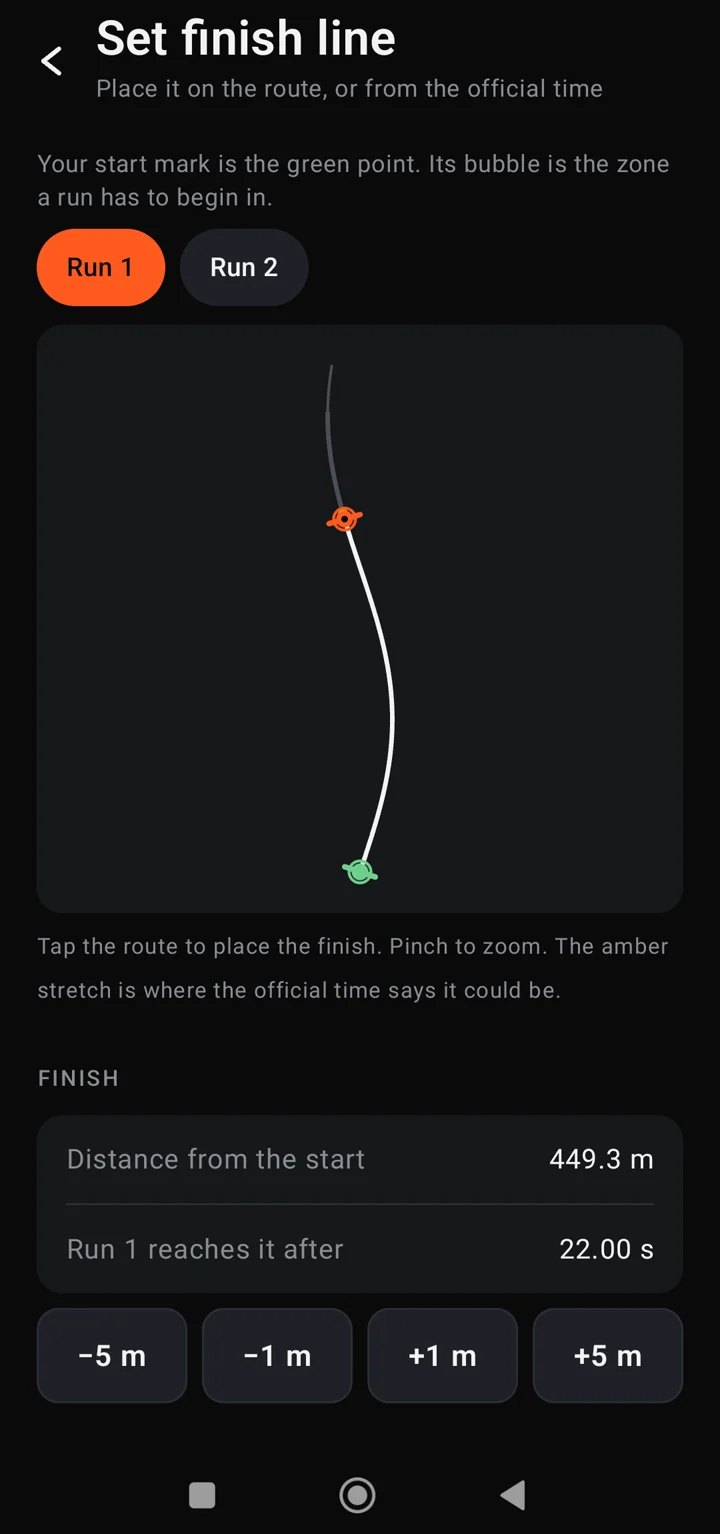
The Set finish line screen: a recorded route with a green start point and an orange finish point, the distance from the start, the time the run reaches it, and buttons to move it by 1 or 5 metres.
Real screen capturePlace the finish on a recorded route, then fine-tune it a metre at a time.
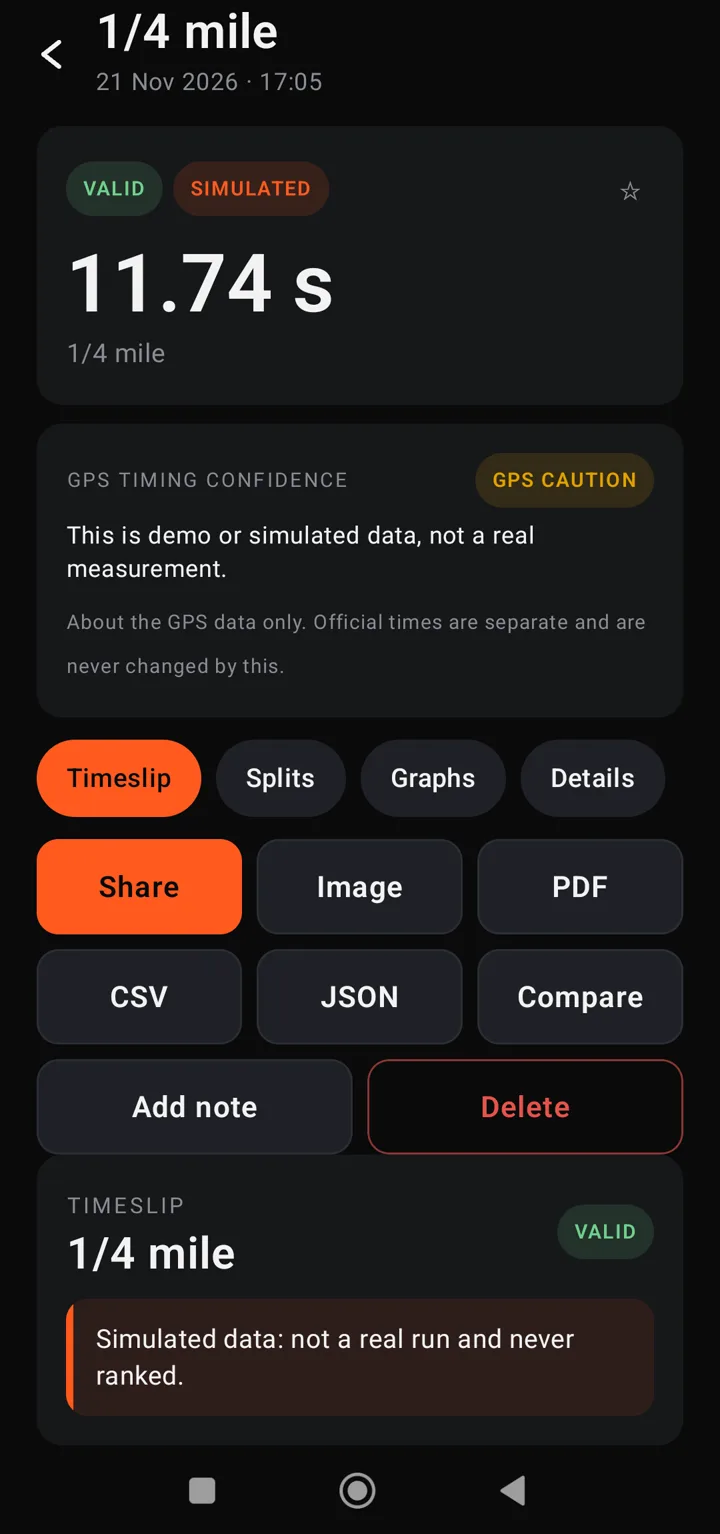
A quarter mile timeslip of 11.74 seconds marked VALID and SIMULATED, with a GPS timing confidence card that says this is demo data, and Share, Image, PDF, CSV, JSON and Compare buttons.
Real screen captureA timeslip from demo data. The app marks it SIMULATED and says it is not a real run and is never ranked.
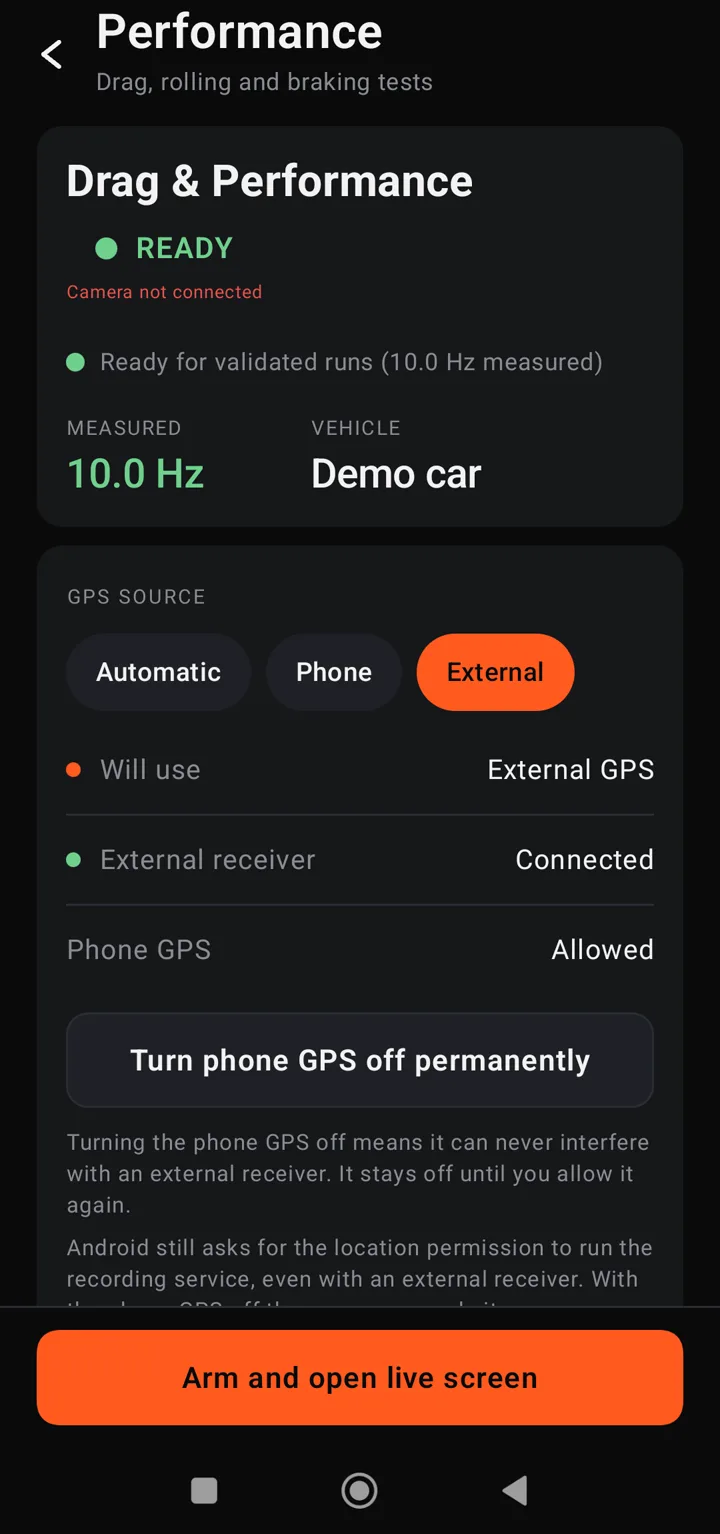
The Drag and Performance screen: ready state, measured GPS rate of 10.0 Hz, a GPS source switch between Automatic, Phone and External, and an Arm and open live screen button.
Real screen capturePerformance mode: GPS source choice and readiness, captured from the phone.

Windows · In development

Offshift Studio

Turn a GPS session and your footage into a transparent overlay for your editor.
Explore Studio All features

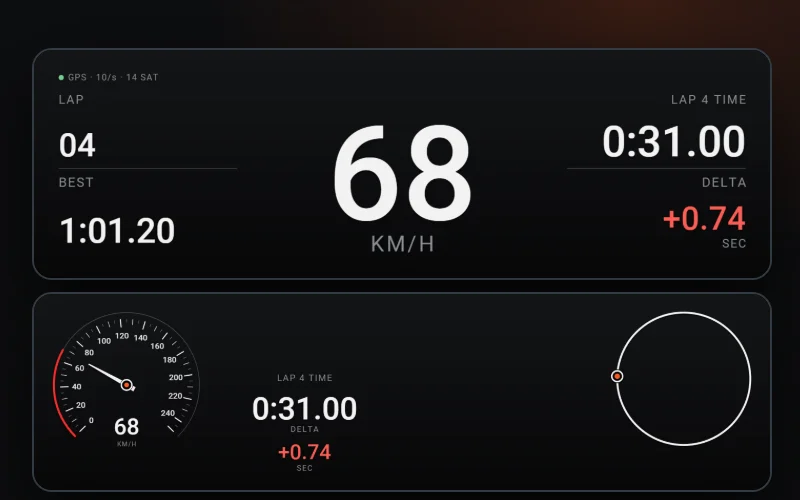
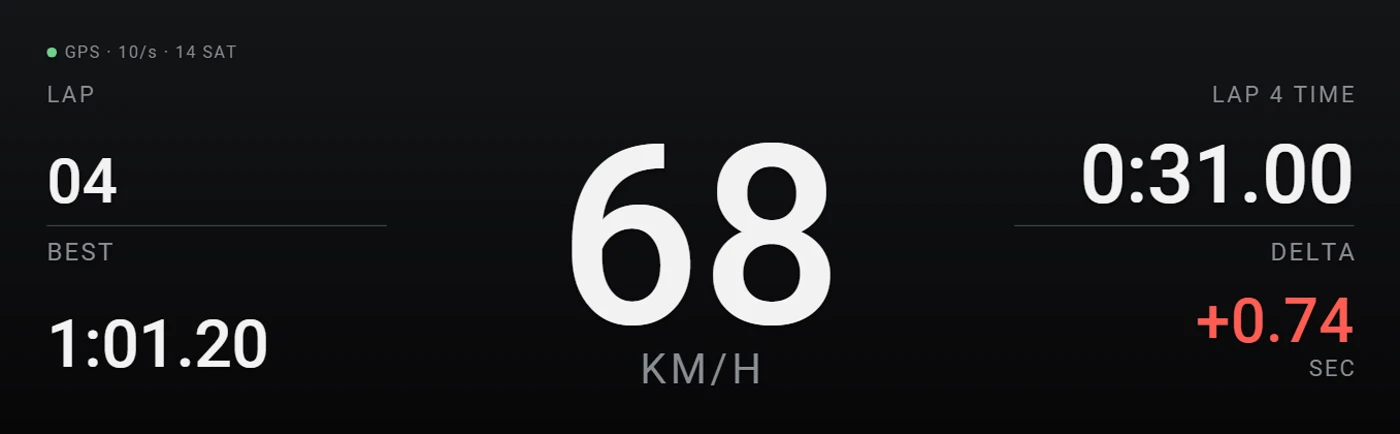
A track preset overlay: lap 04 and best lap on the left, 68 km/h large in the middle, lap time and delta on the right.
App renderPhone Track preset. Rendered by the app’s own overlay renderer from synthetic data, on a plain dark backdrop. The real export is transparent.
A lap and delta overlay: a large red delta to best of plus 0.74 seconds with an ahead and behind bar, sector deltas, last and predicted lap times.
App renderPhone Lap and Delta preset. Rendered by the app’s own overlay renderer from synthetic data, on a plain dark backdrop. The real export is transparent.
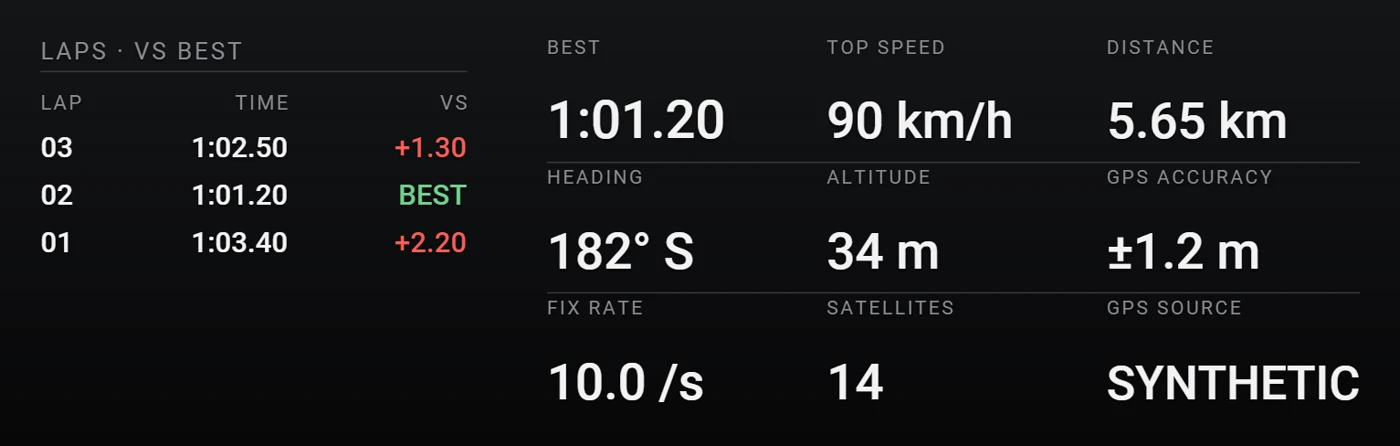
A data overlay: a lap table against the best lap, top speed, distance, heading, altitude, GPS accuracy, fix rate and satellites.
App renderPhone Data preset. Rendered by the app’s own overlay renderer from synthetic data, on a plain dark backdrop. The real export is transparent.
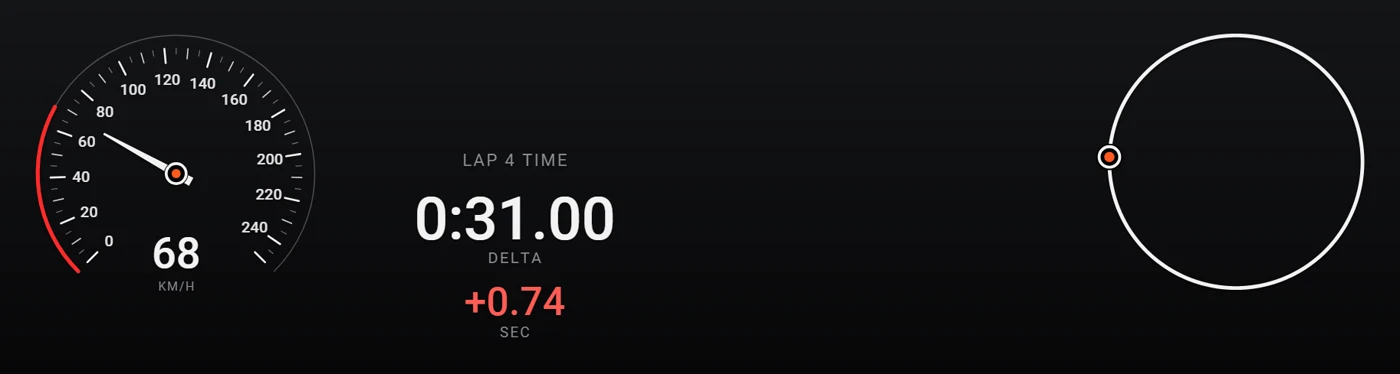
A speed dial overlay reading 68 km/h, a lap time of 0:31.00 with a red delta of plus 0.74 seconds, and a track map with a position dot.
App renderSpeed dial preset. Rendered by the app’s own overlay renderer from synthetic data, on a plain dark backdrop. The real export is transparent.

Windows · In development

Race Control

League stewarding with a memory. Incidents, penalties, replays and reports in one place.

Explore Race Control All features

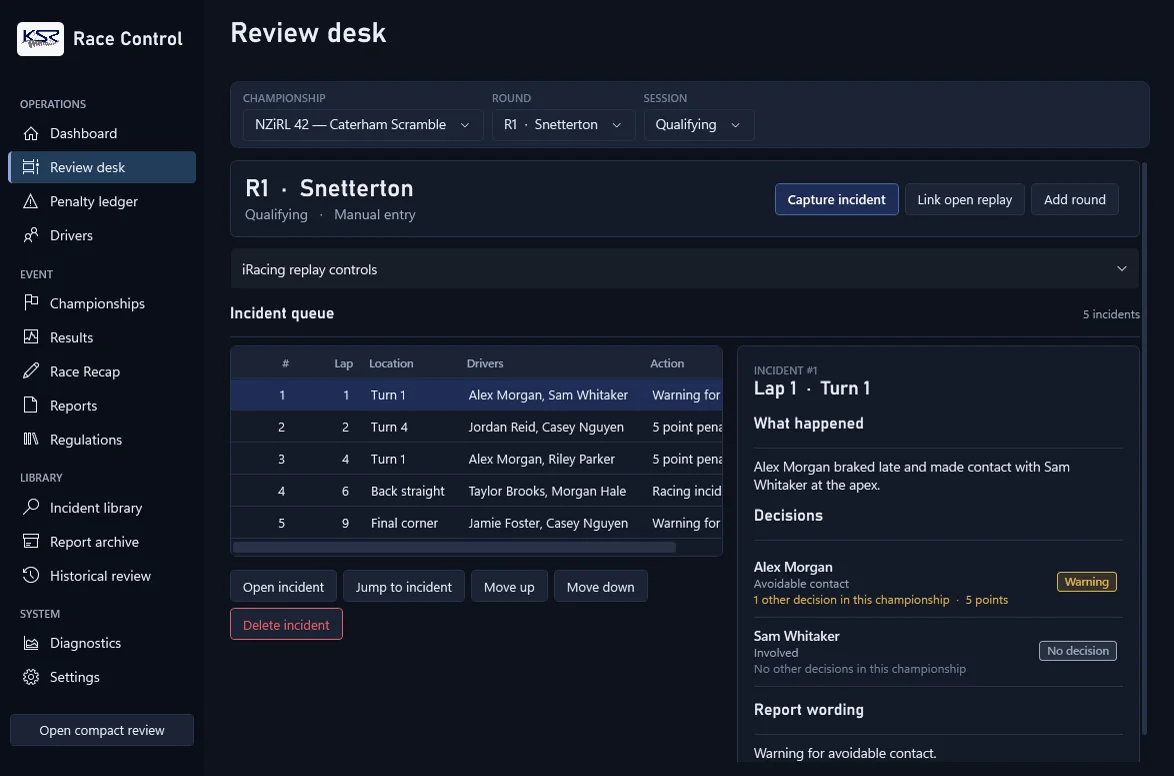
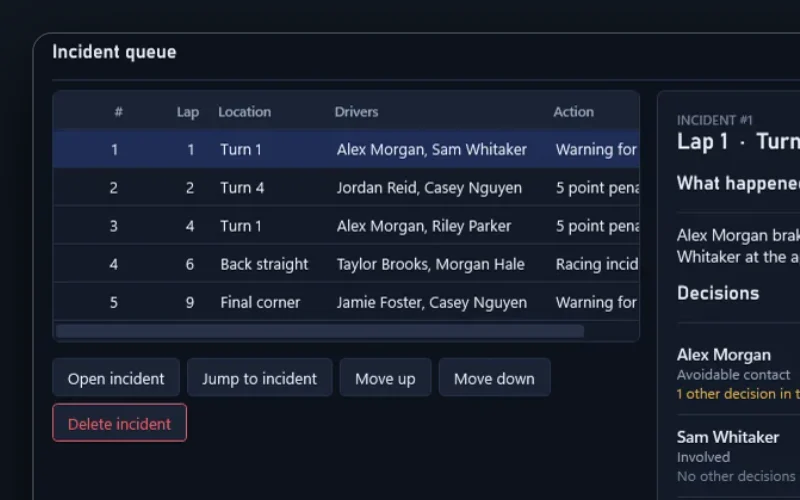
The review desk: an incident queue on the left and the selected incident on the right with its description, per-driver decisions and report wording.
Real screen captureReview desk: the incident queue with the selected incident and each driver’s decision. Rendered by the app from fictional drivers and a test round (development build 0.6.0, dark theme).

How to read this site

Most of these products are unfinished, and some have never met real hardware. We would rather say so.

Real screen capture
A genuine screenshot of the application, taken on sample or synthetic data.
App render
An image the application itself produced, such as an overlay frame.
Reconstruction
A browser re-creation with sample data. It is never presented as a screenshot.