Products
GalleryAbout

Race Control

Features, with the evidence level beside each one.

Statuses describe how far each feature has been proven, not how good it is. “Verified in use” means seen working in the real application.

Verified in use
14 features. Seen working in the real application (with sample data unless stated).
Tested with sample data
5 features. Covered by automated tests on generated data. Not yet proven on real hardware, footage or accounts.
Partial
3 features. Some of this works. The page says what is missing.

Incident review

Capture, order and decide, with an audit trail.

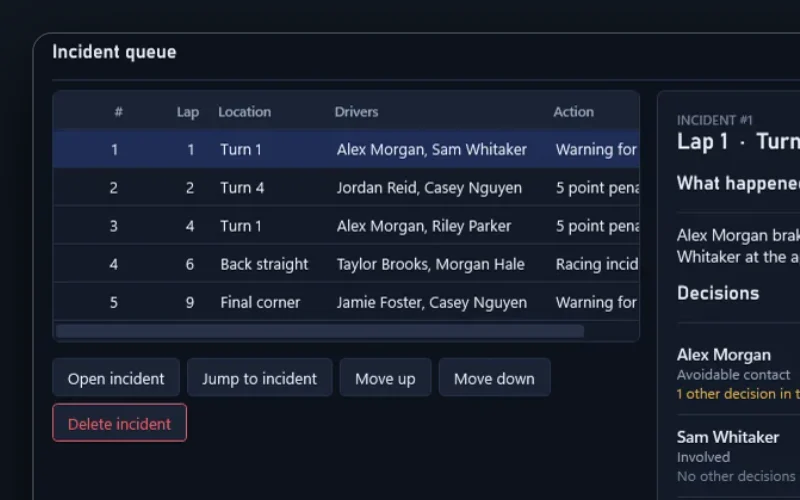
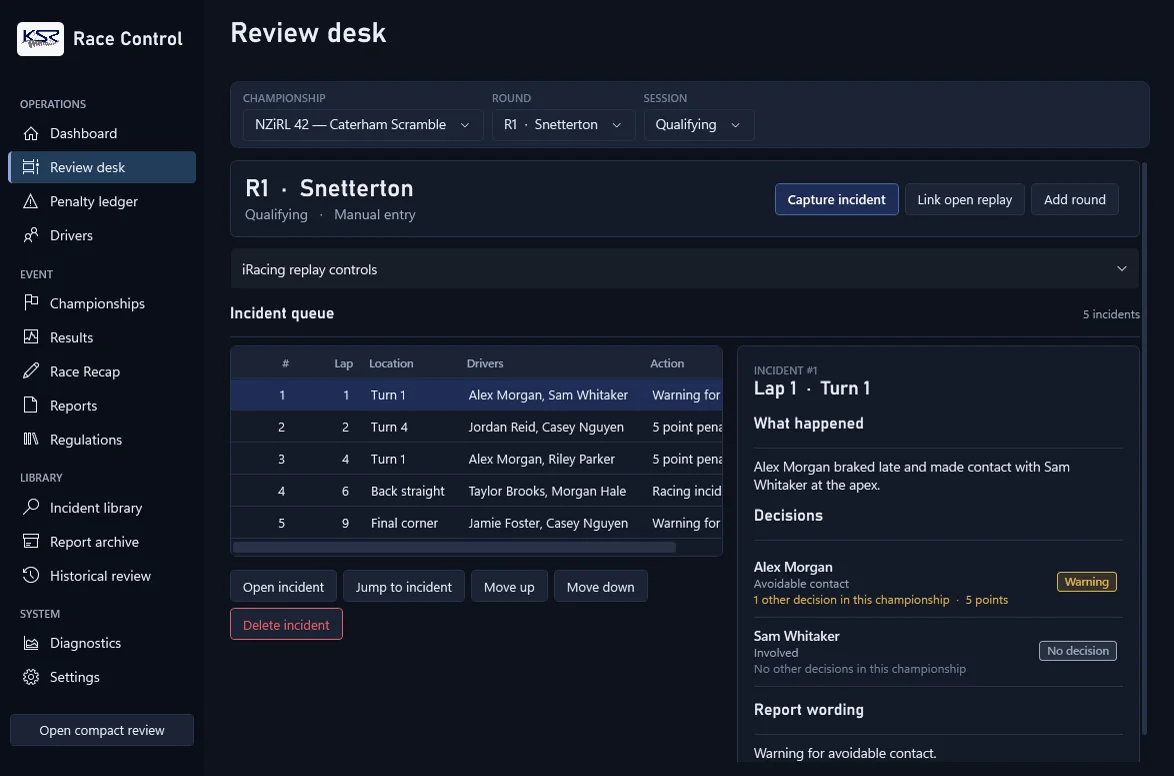
The review desk: an incident queue on the left and the selected incident on the right with its description, per-driver decisions and report wording.
Real screen captureReview desk: the incident queue with the selected incident and each driver’s decision. Rendered by the app from fictional drivers and a test round (development build 0.6.0, dark theme).

Dashboard Tested with sample data

The state of the round on one page: incidents recorded, unfinished drafts, replay files linked, official results, steward report and historical incidents waiting, plus recent decisions and quick actions. Every figure is read from existing records, never estimated.

Rendered from the real build with fictional data. Live interaction not yet verified in the 0.6.0 development build.
Review desk and compact review Verified in use

A master-detail desk with the incident queue on the left and the selected incident on the right, plus a compact window for use beside the simulator. Both share one local store. Capture, edit, reorder and delete incidents.

Used on real rounds in the stable release. Multi-monitor and mixed-DPI testing is still open.

Ordered participants and individual sanctions Verified in use

Each driver in an incident gets their own decision, saved as one transaction or not at all.

Revision audit Verified in use

Every change keeps the previous revision. Deletions are recorded. An outdated editor cannot overwrite or resurrect a newer record.

Historical review Tested with sample data

Earlier incidents can be imported and wait for steward review before they count, so history is kept without being trusted blindly.

Penalties and history

Ladders that remember who did what.

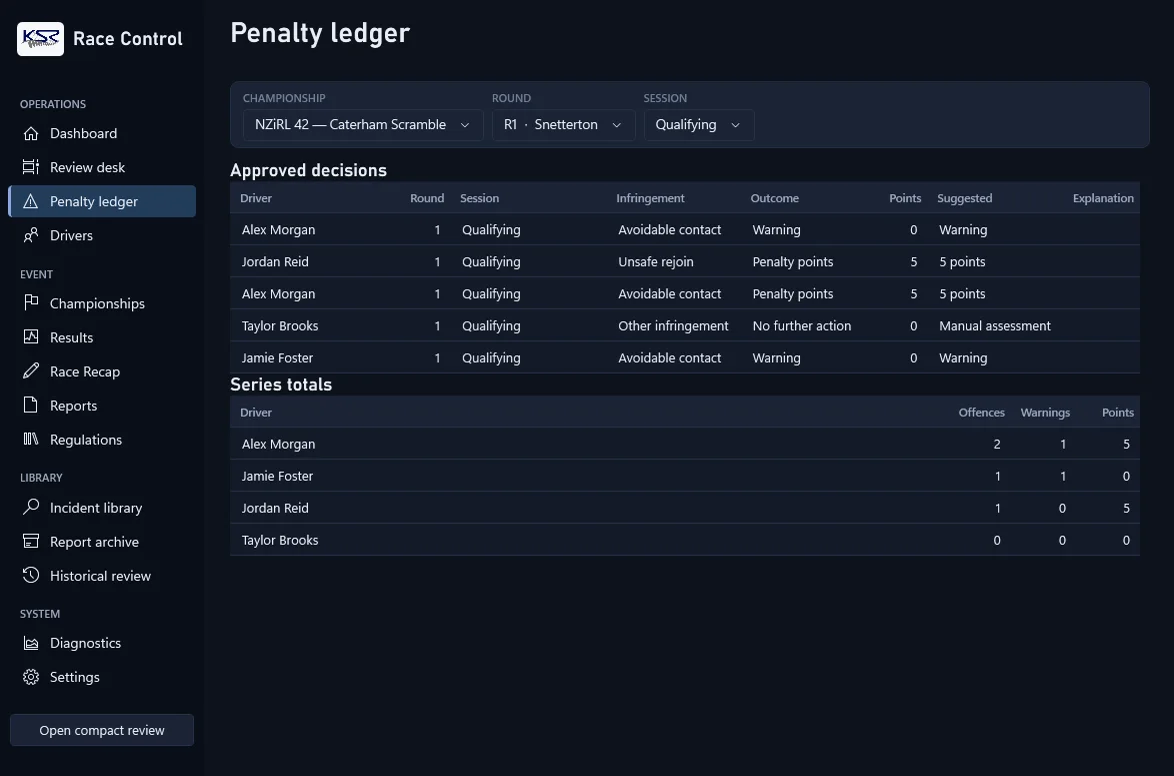
The penalty ledger listing approved decisions with offence, outcome, points and the suggested outcome, then series totals per driver.
Real screen capturePenalty ledger: approved decisions beside the ladder’s suggestion, and series totals. Rendered by the app from fictional drivers and a test round (development build 0.6.0, dark theme).

Series-specific penalty ladders Verified in use

Configure offence categories and what happens at each repeat: warning, no penalty, a points deduction, a custom amount or manual assessment.

Driver history and recommendations Verified in use

The prior count in this championship and the recommended step appear next to the decision. Overrides need a reason and never rewrite earlier decisions.

Penalty ledger Verified in use

Approved decisions with offence, outcome, points and the ladder\u2019s suggestion side by side, plus series totals per driver.

Driver identity and merges Verified in use

Aliases, iRacing customer IDs and a merge preview with a backup taken first, so uncertain matches can be reviewed.

iRacing replay

Jump straight to the moment.

Replay and camera controls Tested with sample data

Pause, speeds, lap and incident stepping, camera groups, and \u201CJump to incident\u201D with a configurable pre-roll.

Replay scan Partial

Plays a saved replay through automatically (up to 16 times speed) to collect race facts such as lead changes for recaps. Validated scans are saved and usable with iRacing closed.

Checked live on one replay: 16 times speed was accepted, but that replay did not actually run faster than normal at higher speeds.

Championships and rules

Series, rounds, sessions and regulations.

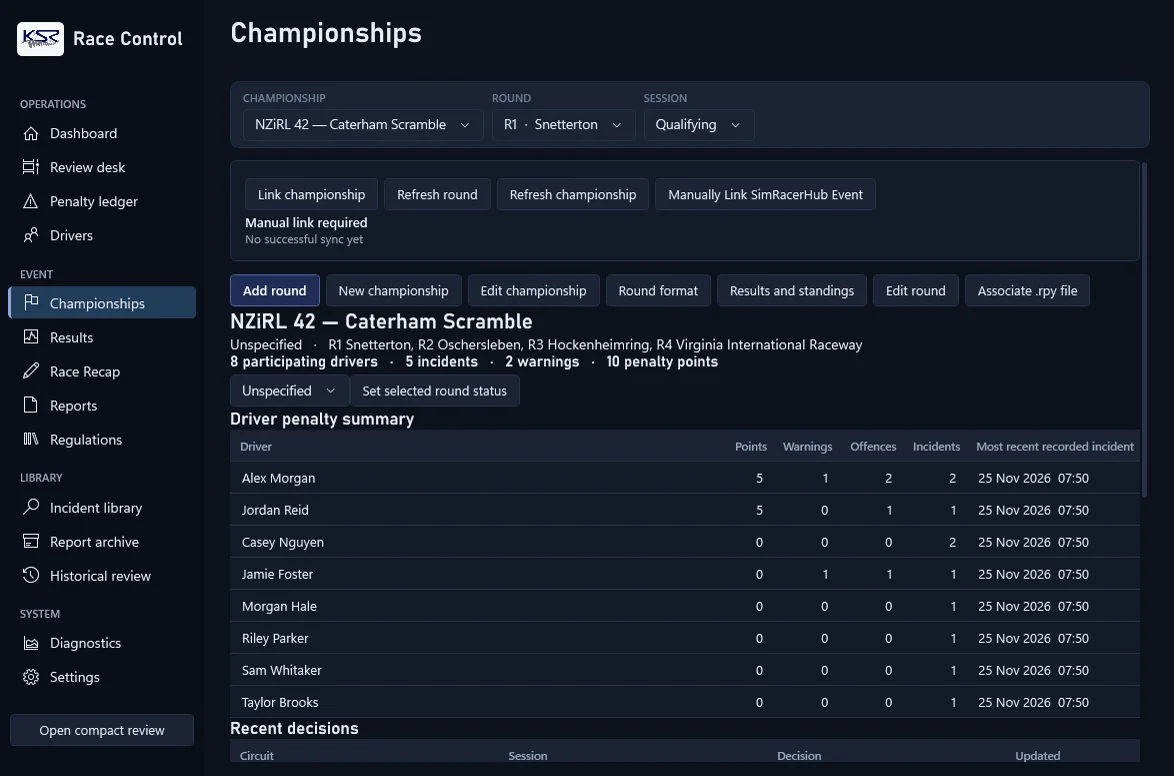
The championships page with a driver penalty summary showing points, warnings, offences and incidents per driver.
Real screen captureChampionships: setup tools and a driver penalty summary. Rendered by the app from fictional drivers and a test round (development build 0.6.0, dark theme).

Championships, rounds and sessions Verified in use

Create a series with sessions, race lengths, regulations and penalty rules, copy from a template, and override a single round.

Regulation search Verified in use

Import versions of PDF or Word regulations and search them offline, with page numbers for PDFs. Link rules to decisions.

Results and standings

Import results and see local adjustments.

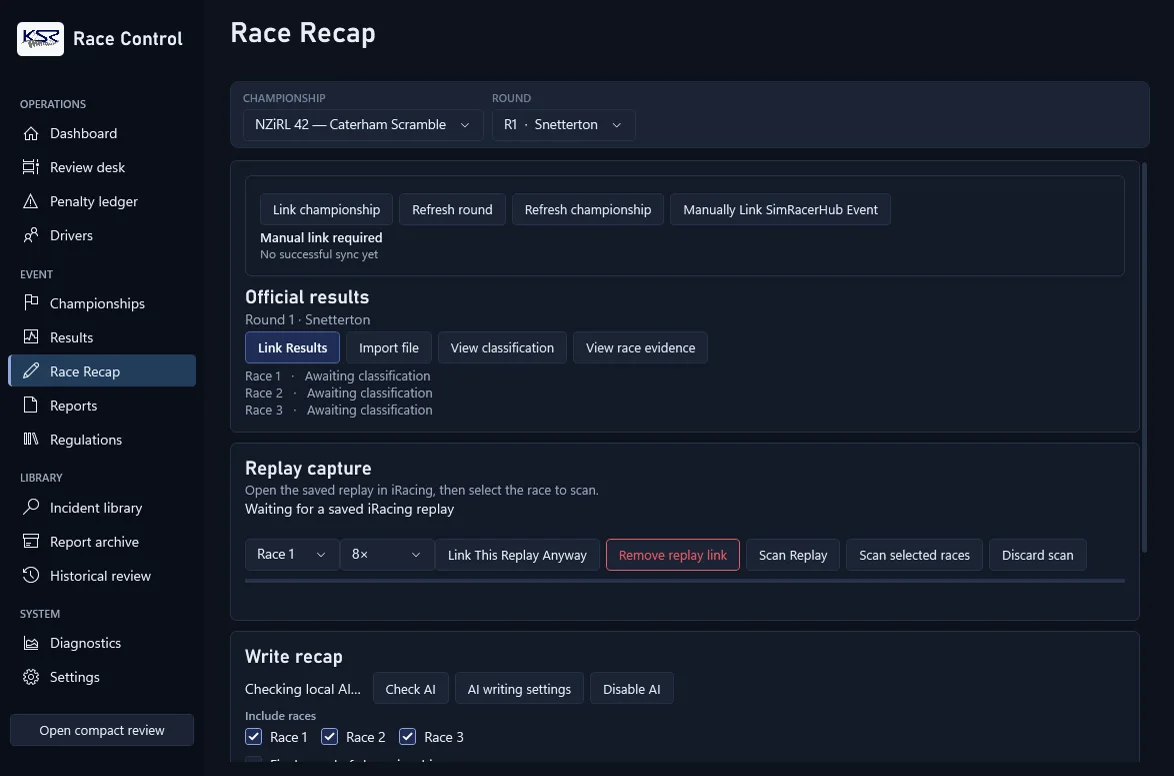
The Race Recap page with official results, replay capture controls and a recap writing panel with local AI settings.
Real screen captureRace Recap: published results, replay capture and a local recap writer. Rendered by the app from fictional drivers and a test round (development build 0.6.0, dark theme).

Published results sync Partial

Reads a league\u2019s public results pages: classifications, qualifying and standings for the selected round, with saved copies that work offline. Strictly read-only.

Tested against real public pages for a full season. If the website changes its layout, extraction needs maintenance. Nothing is written back.

Import results Verified in use

Bring in results from CSV, TSV, pasted tables or iRacing event JSON, map columns, and resolve driver matches yourself.

Local standings with deductions Verified in use

Original and locally adjusted standings, gross or reconciled penalty treatment, optional drop of the lowest round, and exports of the adjustments to enter on your official site.

Race Control never writes to an external results site.

Race recap writer Tested with sample data

Drafts a recap of the round from verified results and, if you scanned it, the replay. Three lengths. It runs on a language model installed on your own PC, cannot change a name, number or result, and you edit before anything leaves the app.

Tested with the local model and real round data in 0.5.0. Not re-run in the 0.6.0 build. Drafts can be shorter when data is sparse.

Reports and safety

Word reports, archives and backups.

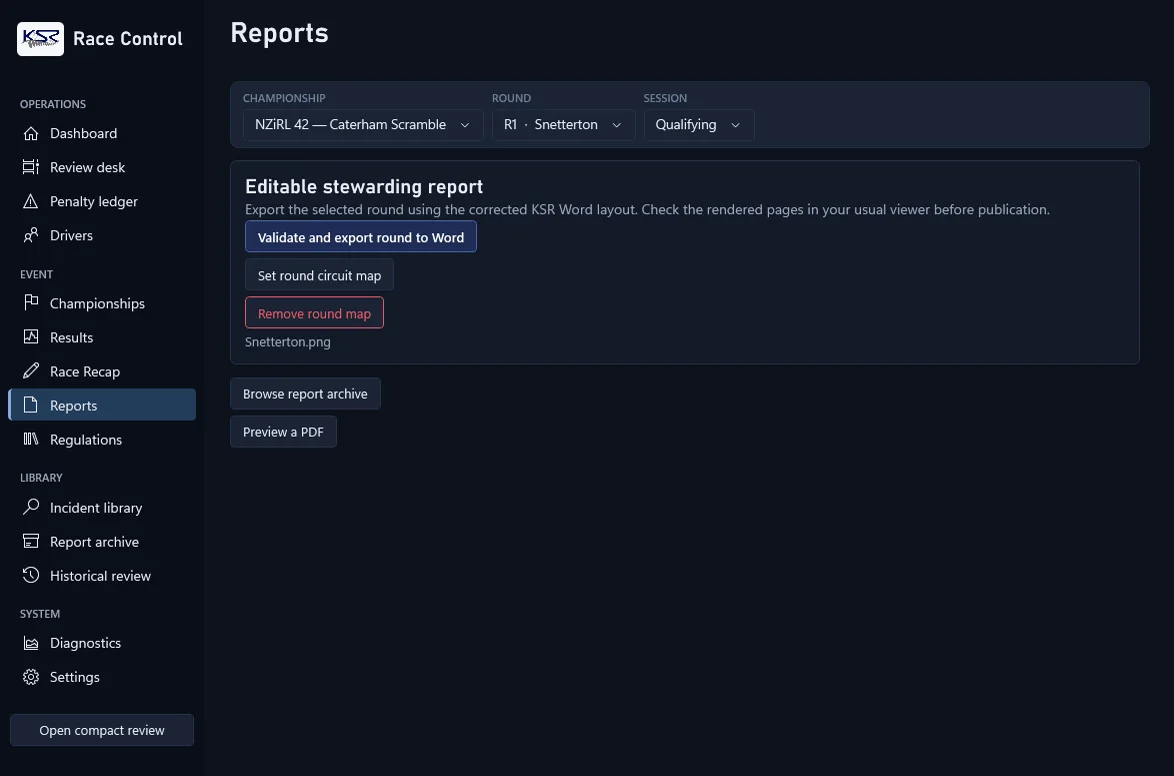
The Reports page with Validate and export round to Word, round map controls and report archive links.
Real screen captureReports: export the round into the league’s Word template. Rendered by the app from fictional drivers and a test round (development build 0.6.0, dark theme).

Editable Word reports Verified in use

Reports fill your league\u2019s own Word template, keeping layout, styles and images. A PDF you attach is previewed natively.

Report archive and versions Verified in use

Each export is versioned and archived with the original bytes so older reports stay reproducible.

Backup, restore and migration Verified in use

Local SQLite with automatic and manual backups, restore, and backed-up migration from earlier versions.

Dark and light appearance Tested with sample data

Dark by default with a light theme, a regrouped navigation rail and a Diagnostics page that shows what telemetry the app is actually receiving from the simulator.

Both themes rendered in the 0.6.0 development build. Hover, focus and keyboard behaviour not yet verified there.