Products
GalleryAbout

Offshift Studio

Features, with the evidence level beside each one.

Statuses describe how far each feature has been proven, not how good it is. “Verified in use” means seen working in the real application.

Verified in use
2 features. Seen working in the real application (with sample data unless stated).
Tested with sample data
14 features. Covered by automated tests on generated data. Not yet proven on real hardware, footage or accounts.
Built, not yet verified
1 feature. The code exists and compiles. It has not been confirmed in real-world use.
Partial
1 feature. Some of this works. The page says what is missing.

Import and sync

Bring in a session and a video, then line them up.

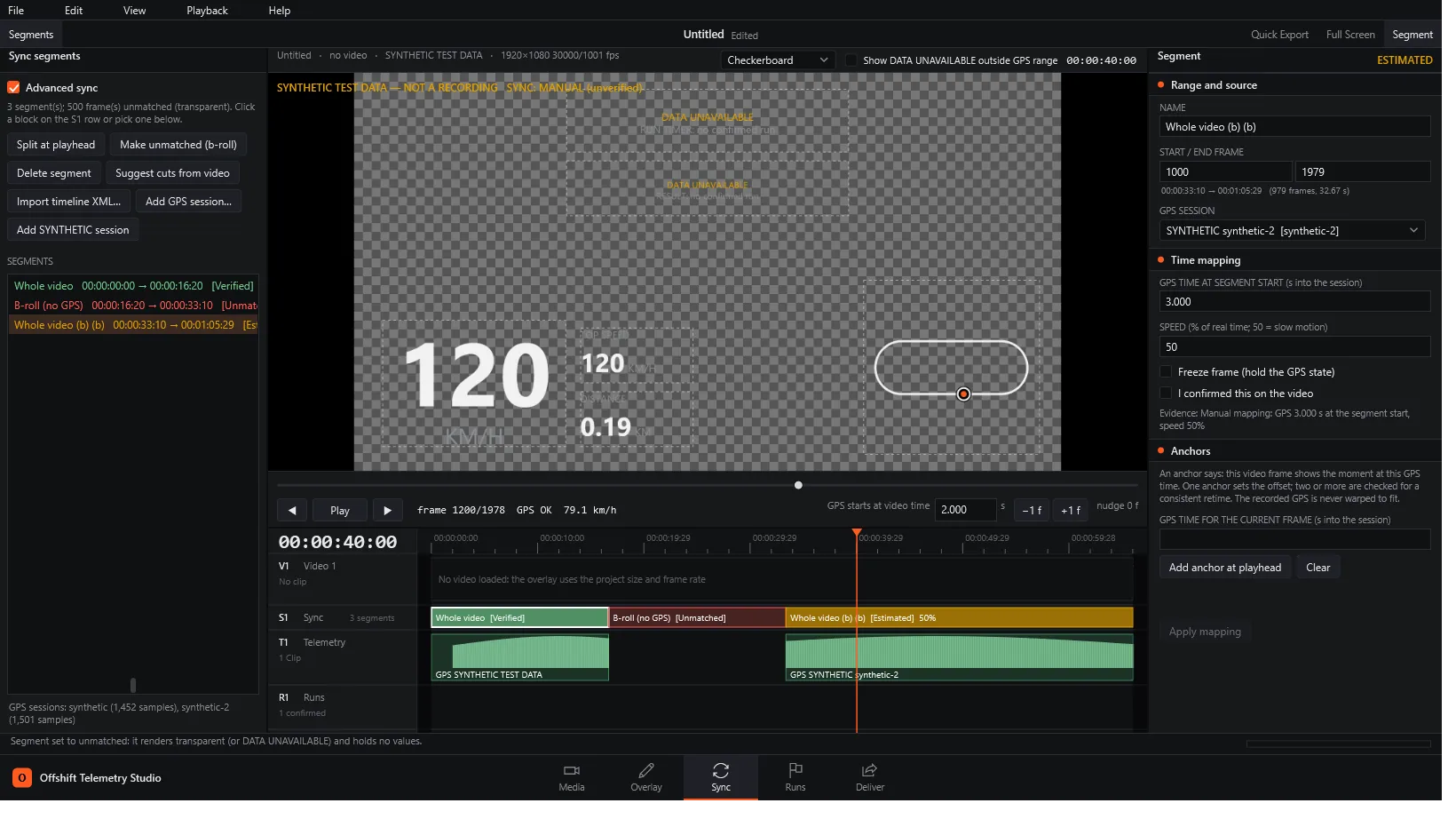
The Sync page showing three segments on the timeline and a time-mapping inspector.
Real screen captureAdvanced sync with segments, on synthetic data.

Import Offshift sessions Tested with sample data

Reads session files from the Android app (JSON, line-delimited and CSV). Bad lines, duplicates and out-of-order samples are handled without inventing values.

Tested on synthetic files built from the app’s documented schema. No real export has been tested yet.

Video probing Tested with sample data

Reads frame rate, size and duration, flags variable-frame-rate sources and offers a conform decision.

Manual sync with frame nudge Tested with sample data

Set the offset between GPS and video, step frame by frame, or drag the telemetry clip on the timeline.

Suggested sync Tested with sample data

Estimates an offset from the video’s creation time and GPS UTC, catches whole-hour time-zone mix-ups, and can align to “car starts moving here”. Always labelled an estimate.

Advanced sync for edited footage Partial

Segments, anchors, speed changes and freeze frames, with unmatched segments rendered transparent. A basic Resolve timeline import is included.

The timeline import has not been checked against real Resolve output.

Widgets and editing

Arrange phone-style telemetry over the frame.

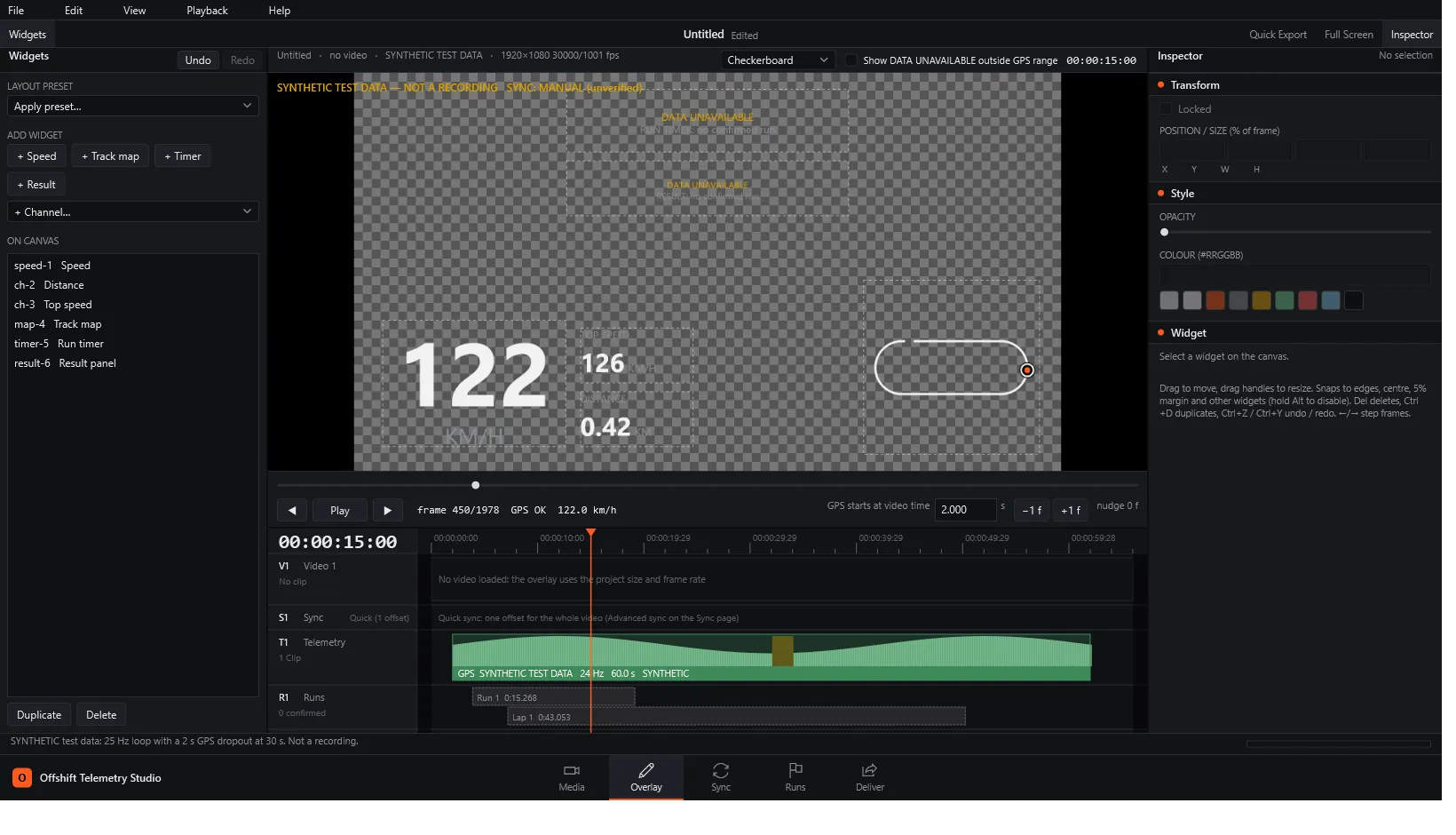
The Offshift Studio overlay page: widget list on the left, a checkerboard preview with a speed readout, distance and a track outline, and a timeline with a green telemetry clip.
Real screen captureThe Overlay page, running on a synthetic test session. The banner in the app says SYNTHETIC TEST DATA.

Widget library Tested with sample data

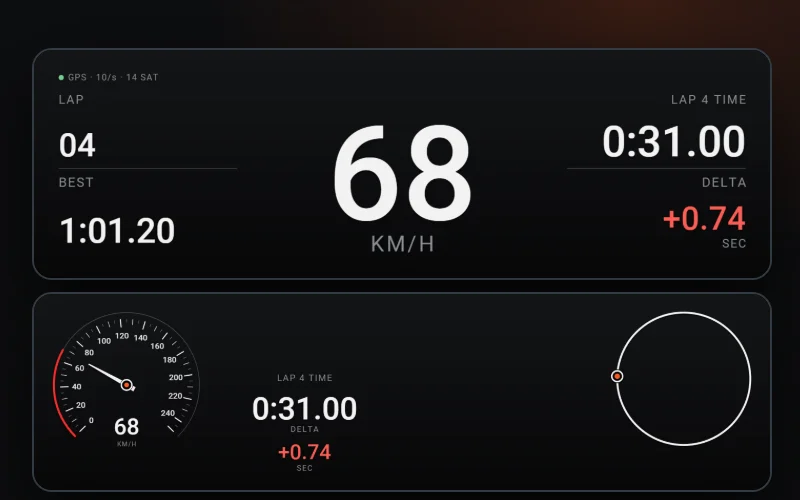
Speed, speed dial, track map, timer, result panel, delta, best, last, split, optimal lap, lap table, GPS status, drag ET and more, drawn in the phone app’s style.

Drag, resize and inspect Verified in use

Direct manipulation with snapping to edges, centre, safe margin and other widgets, plus a numeric inspector and undo and redo.

Exercised in the real application on synthetic data.

Presets Tested with sample data

Minimal, Track, Sprint, Drag and Full layouts, five phone-style layouts and a speed dial.

One renderer for preview and export Tested with sample data

Preview and export use the same drawing code, so what you arrange is what you render.
Runs and results

Timers, results and official times kept separate from GPS.

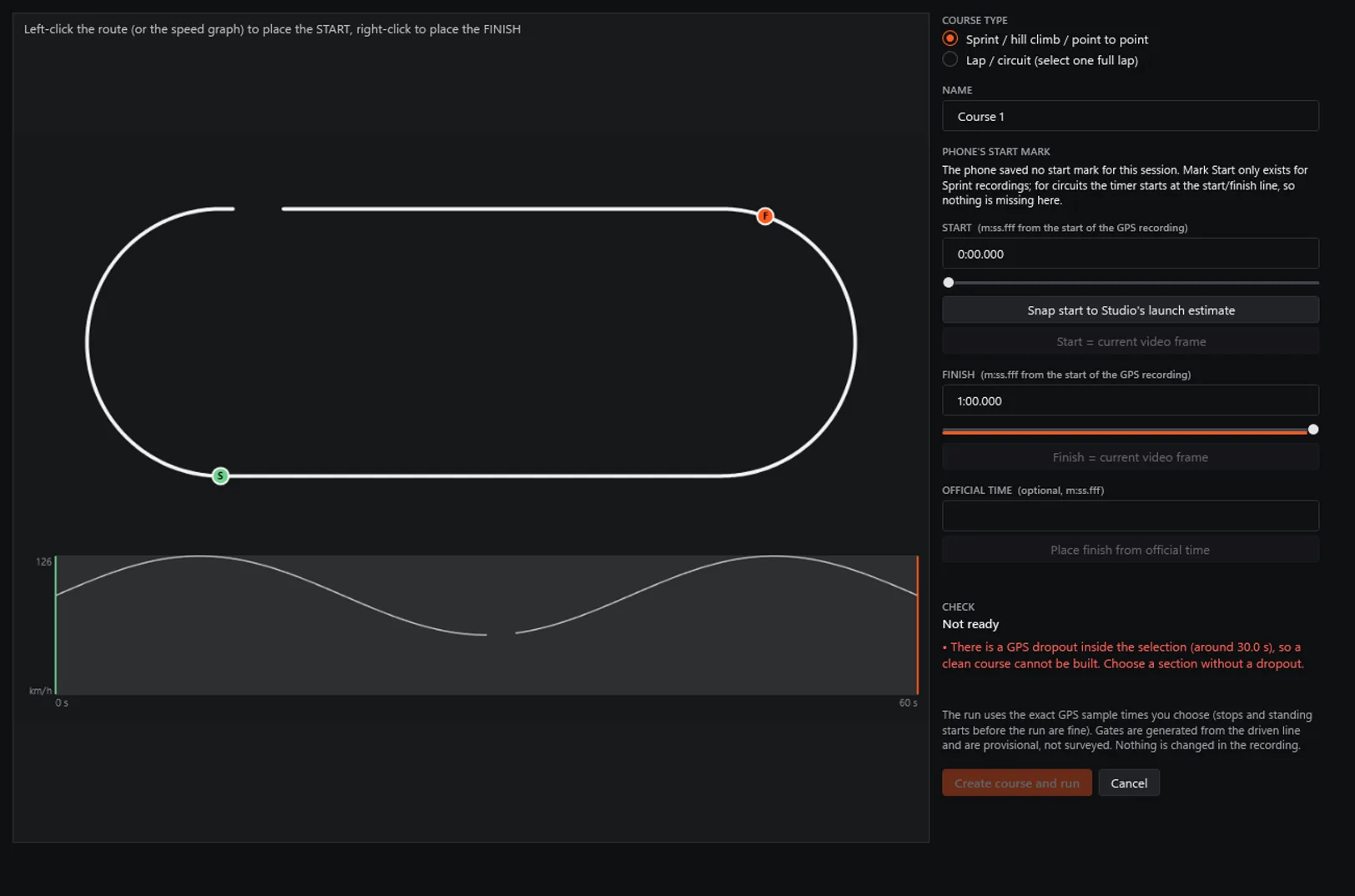
The course wizard: a track outline and speed graph to click start and finish on, with course name, start and finish times and a validity check.
Real screen captureThe course wizard, where you place a start and finish on the recorded route. Synthetic data.

Course wizard and runs Tested with sample data

Build a course from the recording, confirm runs yourself, and snap a start to the launch moment.

Official results, kept separate Tested with sample data

Enter organiser times as their own labelled line. Raw GPS is never altered to match an official result.

Phone cross-check Tested with sample data

Compare Studio’s detected runs with the phone app’s results and see where they agree or differ.

Delta, predicted and optimal timing Tested with sample data

Live delta against a pinned reference run, predicted time and an optimal time from best segments.

Export

A transparent overlay that matches your clip.

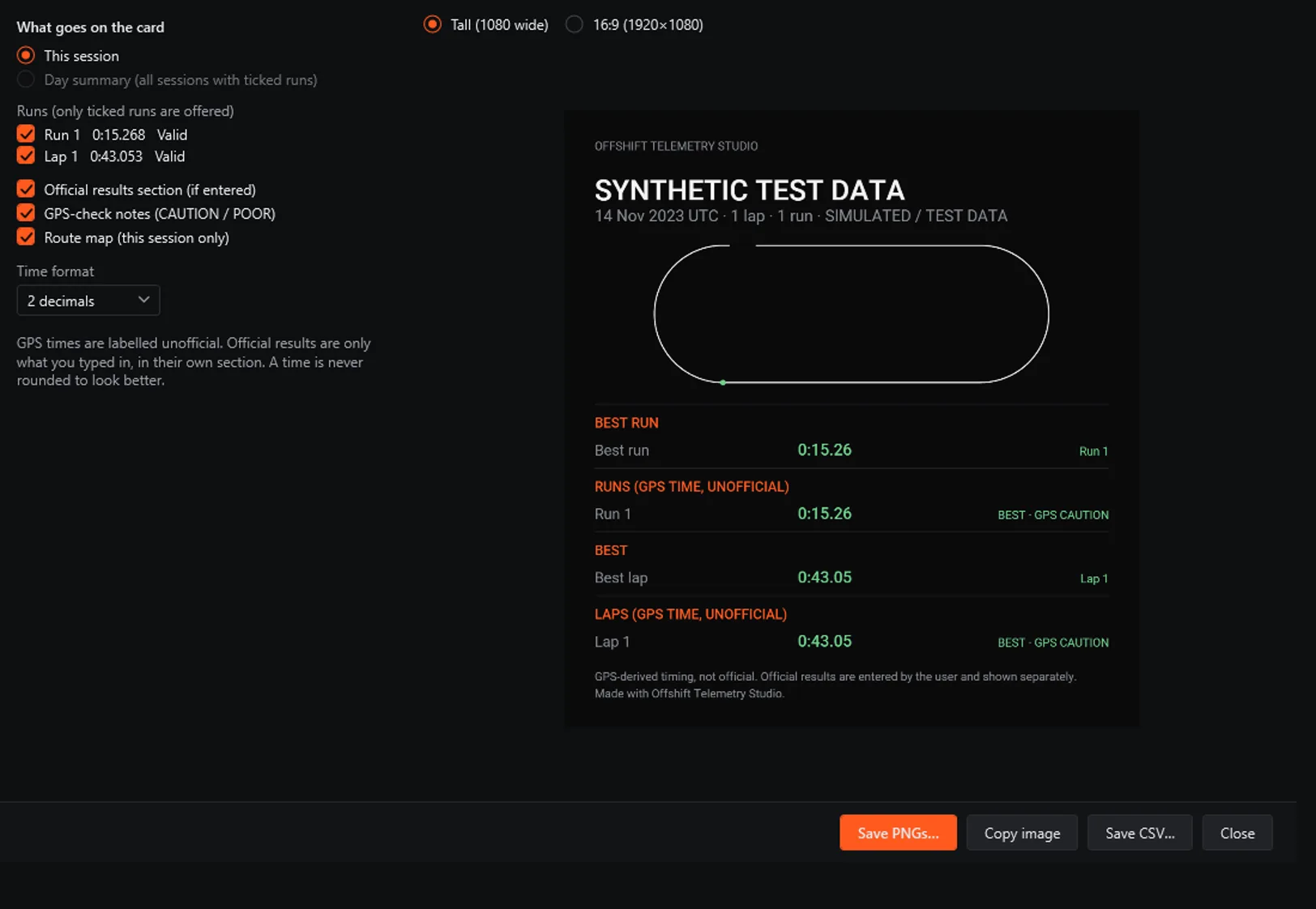
A results card export dialog with a synthetic session, a route map, best run, runs and laps labelled as GPS time, unofficial.
Real screen captureResults card export. GPS times are labelled unofficial. Synthetic data.

ProRes 4444 with alpha Tested with sample data

Straight-alpha ProRes 4444 MOV via FFmpeg, plus an alpha PNG sequence. Output is verified after export.

Decoded and checked with FFmpeg. Not yet imported into DaVinci Resolve.

Matches your clip Tested with sample data

Same dimensions, frame rate and start frame as the source. Frames outside the GPS range stay transparent or show DATA UNAVAILABLE.

Map credit handling Built, not yet verified

When circuit outlines from the catalogue are used, a required credit line is added and checked at export.

Projects and reliability

Autosave, relinking and honest limits.

Projects with autosave Verified in use

A project file with relative media references, fingerprint checks, a backup copy, 30 second autosave and a locate dialog for missing media.

Exercised in the real application on synthetic data.

Honest about missing data Tested with sample data

Missing values display as unavailable. Nothing is filled in or interpolated across a GPS gap.