Features, with the evidence level beside each one.
Statuses describe how far each feature has been proven, not how good it is. “Verified in use” means seen working in the real application.
Verified in use
12 features. Seen working in the real application (with sample data unless stated).
Tested with sample data
11 features. Covered by automated tests on generated data. Not yet proven on real hardware, footage or accounts.
Built, not yet verified
3 features. The code exists and compiles. It has not been confirmed in real-world use.
Partial
2 features. Some of this works. The page says what is missing.
Live screens
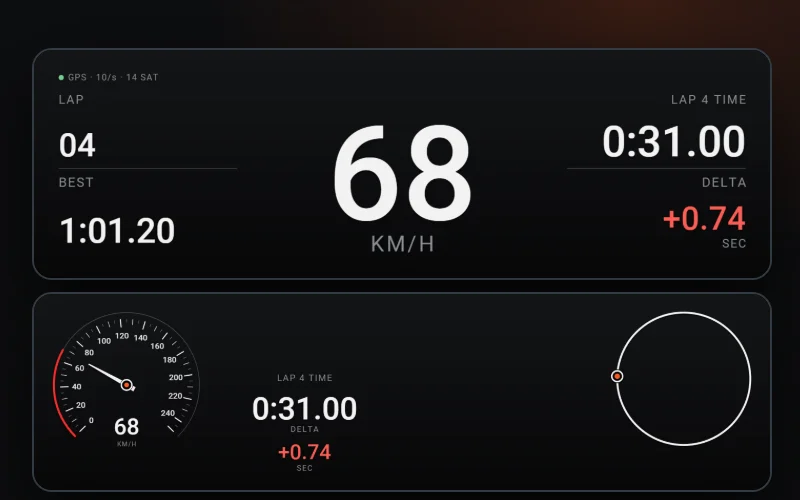
Sparse landscape dashboards you can read at a glance. Nothing on them needs touching while you drive.
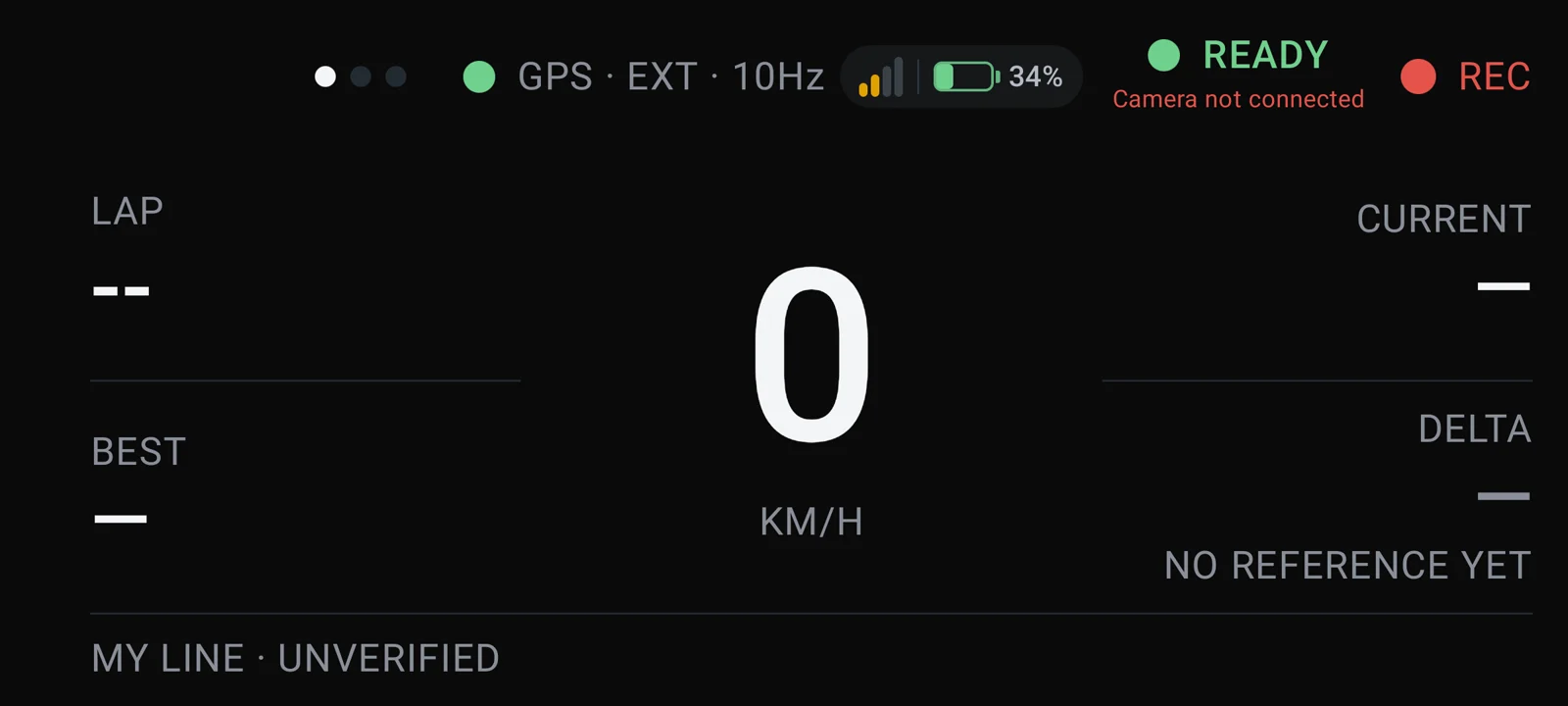
Page 1 · Main Before setting off, external GPS connected.
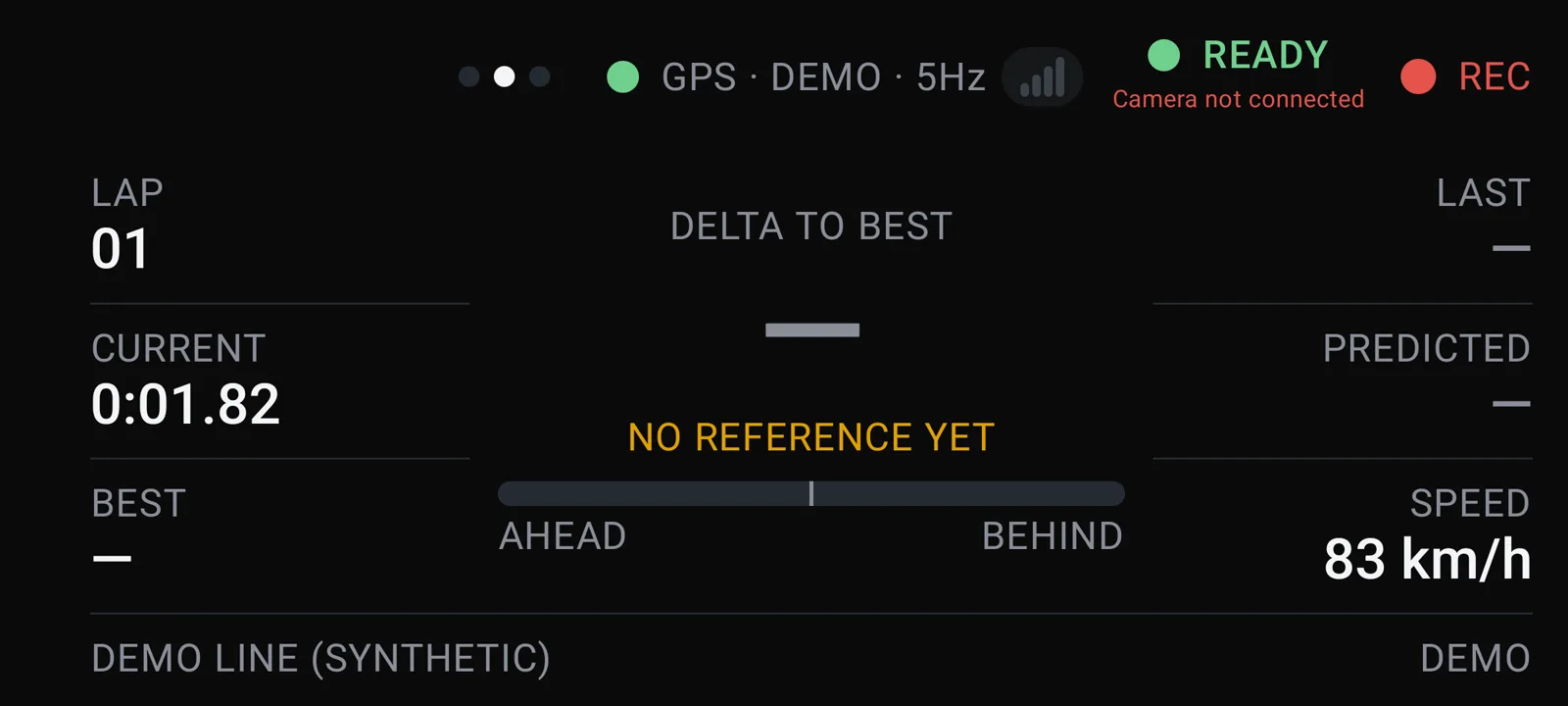
Page 2 · Lap and delta Demo mode, no reference lap yet.
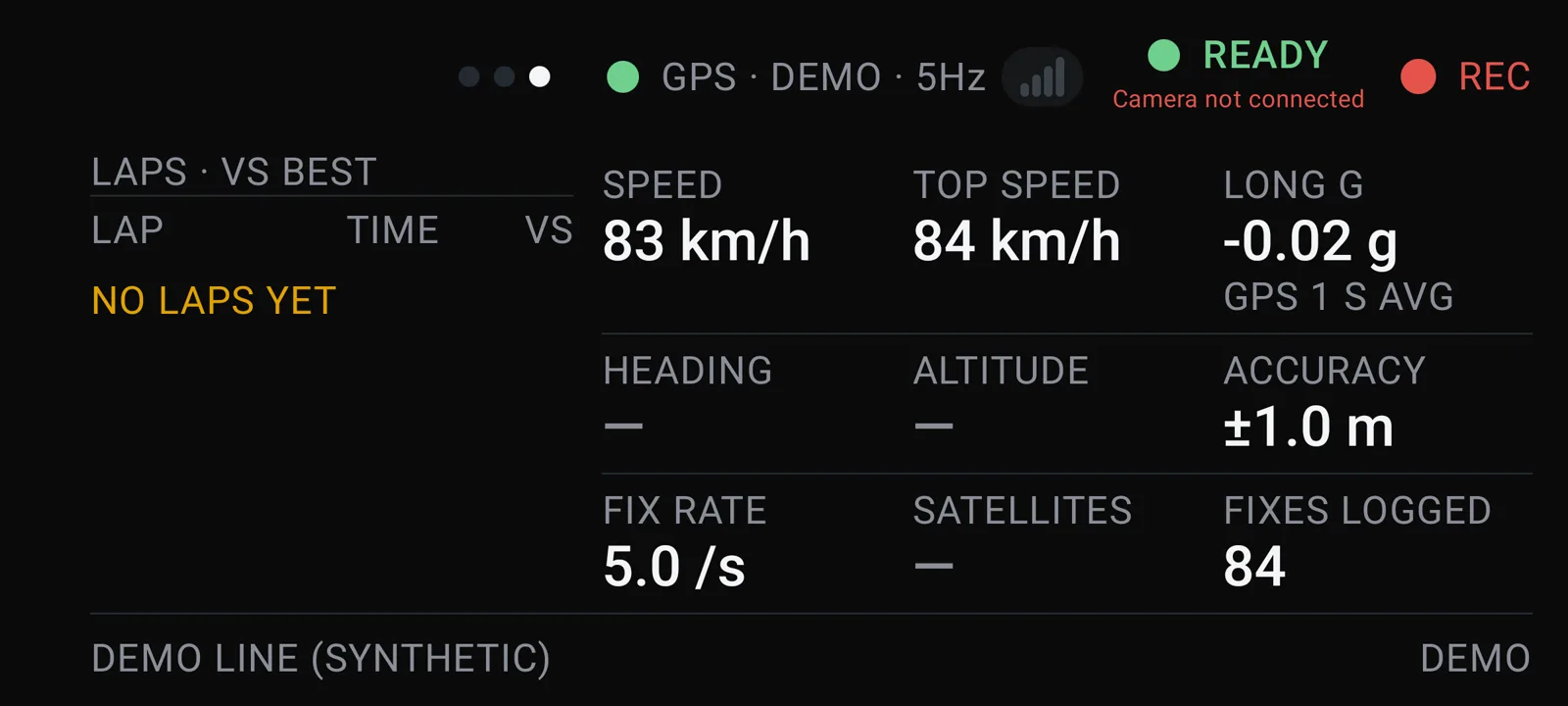
Page 3 · Data Demo mode.
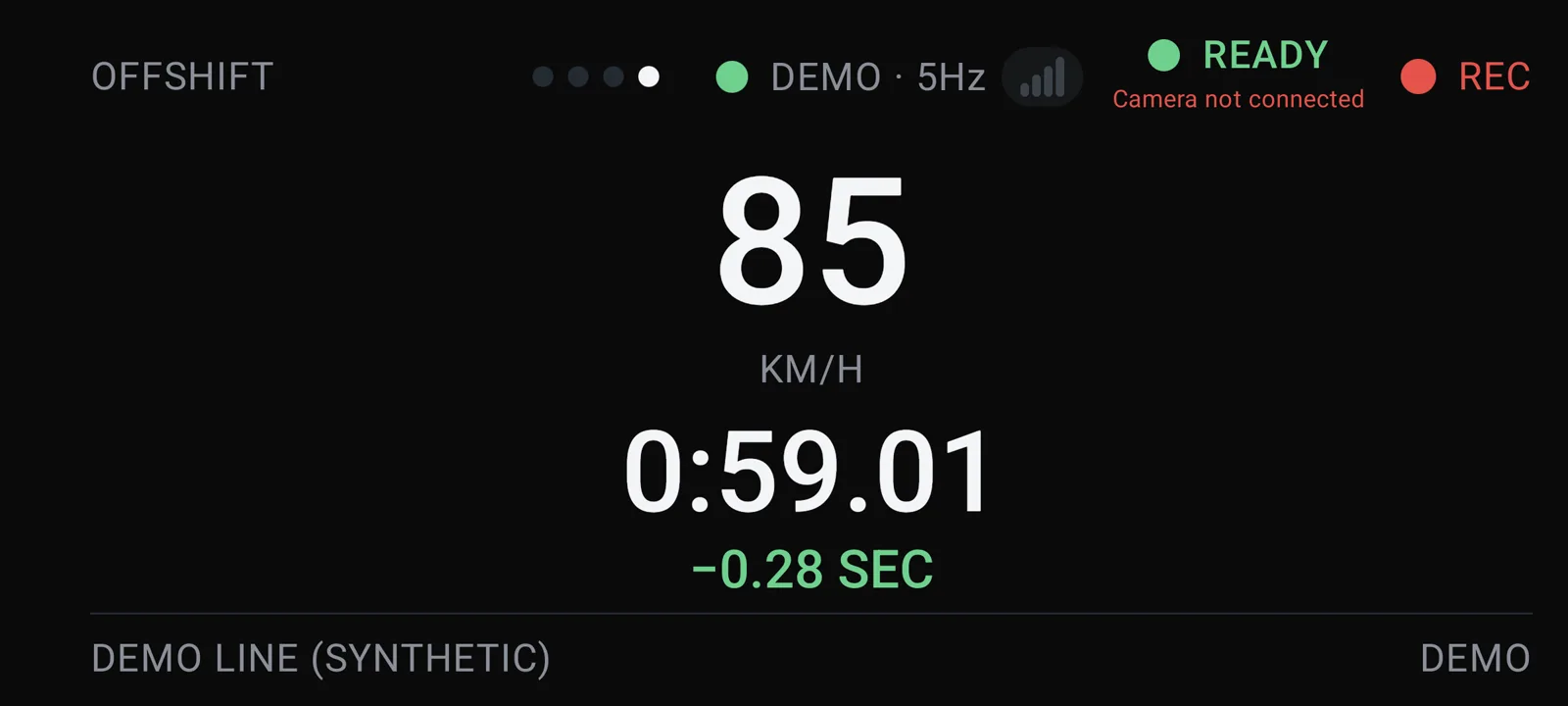
Page 4 · Simple Demo mode: speed, timer and delta.
Real screen captureSwipe across for pages 3 and 4. Tap a screen to enlarge it.
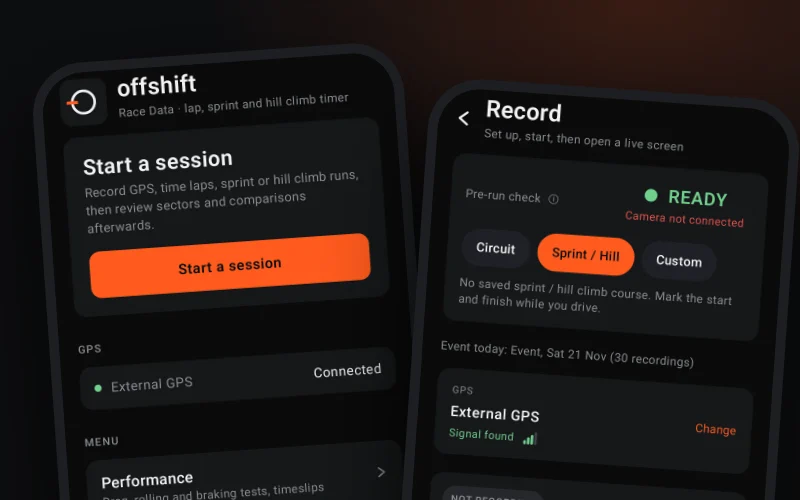
Start a session Verified in use
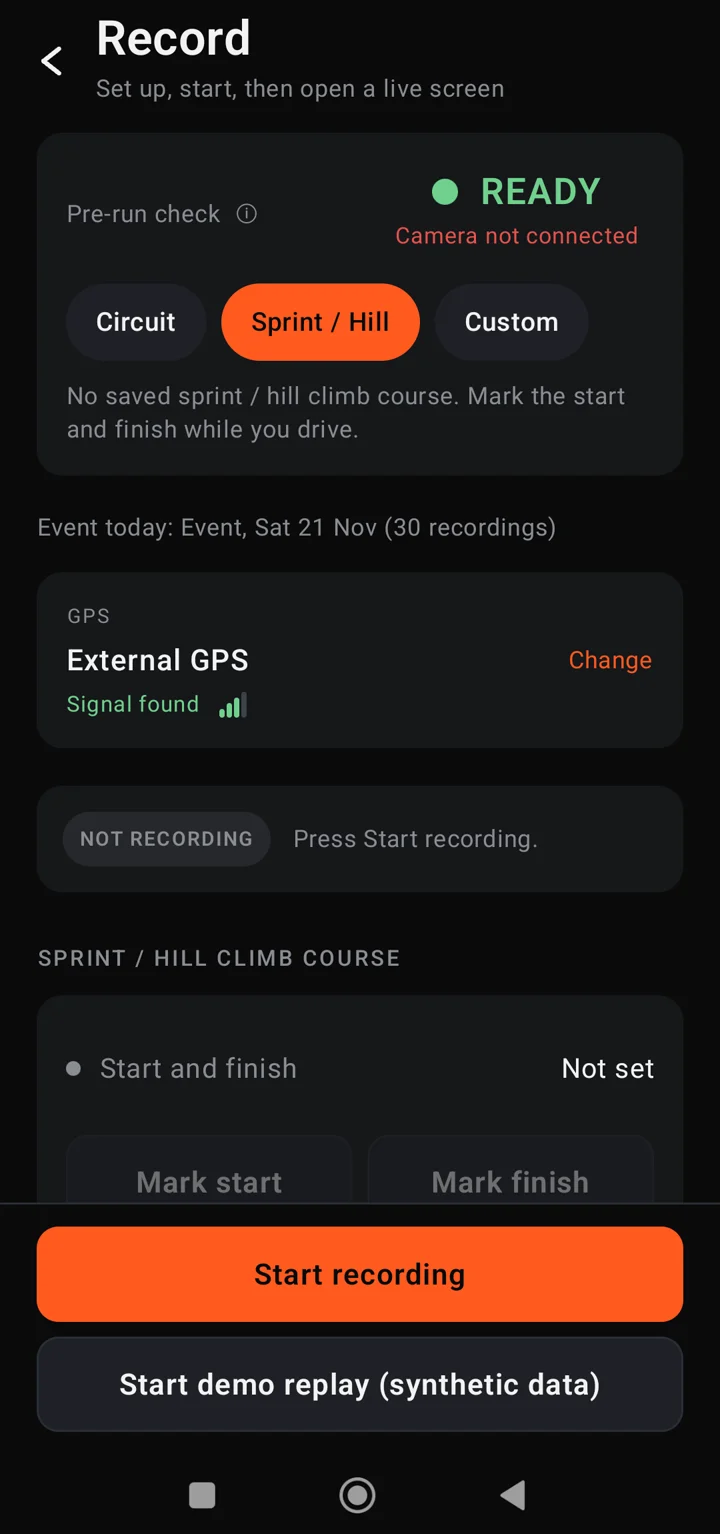
One button on the home screen opens Record: a pre-run check, Circuit, Sprint / Hill or Custom, the GPS source, and start and finish marking. A demo replay with synthetic data is there too.
The screens were seen on a phone. Timing accuracy outdoors is not yet confirmed.
Real screen captureStart a session: pre-run check, session type and GPS source, then Start recording. The GPS receiver’s ID is hidden.
Track, Race and Sprint dashboards Verified in use
Three landscape presets, immersive and read-only, keeping the screen on. Each has four swipeable pages: the original layout, a lap and delta focus, a data page, and a simple speed-and-timer page.
Seen on a phone with demo data. The Race preset shows vehicle channels as n/a because no vehicle link exists yet.
Choose what each screen shows Verified in use
Pick the fields shown in each slot on every page. Settings are saved on the phone.
Honest empty states Verified in use
Missing values show a dash or n/a with a reason, never a zero. Demo and replay data is labelled DEMO.
Timing engine
Gate crossings, delta and validity rules built to avoid flattering you with a bad number.
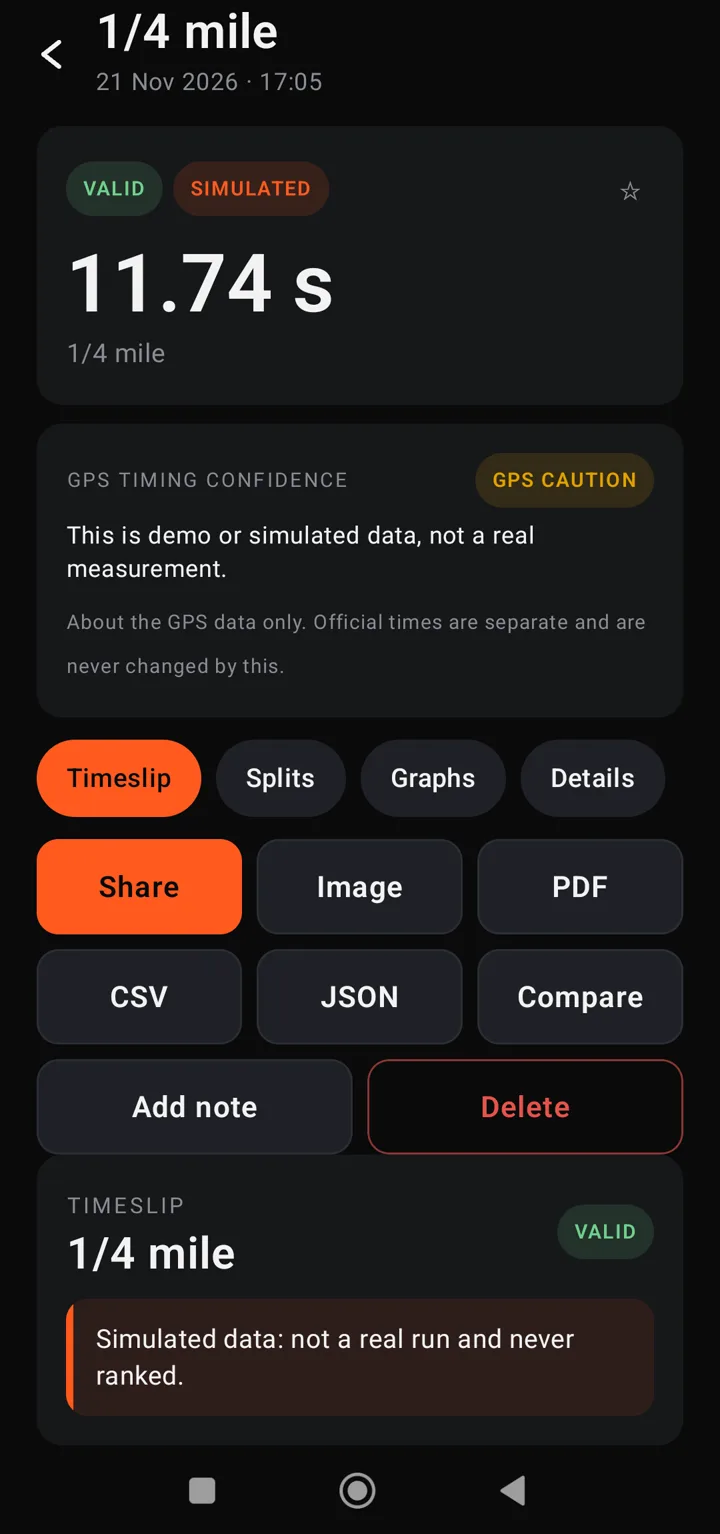
Real screen captureA timeslip from demo data. The app marks it SIMULATED and says it is not a real run and is never ranked.
Gate crossing with interpolation Tested with sample data
A crossing is detected by a signed side change of the start/finish line, interpolated between fixes. Low or invalid crossings are graded and kept, not silently dropped.
Distance-aligned delta Tested with sample data
Delta compares your lap with a chosen reference at the same distance along the track, and hides itself when it cannot be trusted rather than guessing.
Demonstrated on the phone with demo data. Real GPS not yet confirmed.
Validity rules Tested with sample data
Only valid laps become best, reference or comparable. An out-lap is never a lap. A missed sector is empty, never a whole-lap time.
Sprint and hill climb
Point-to-point courses with splits, runs and run-versus-run comparison.
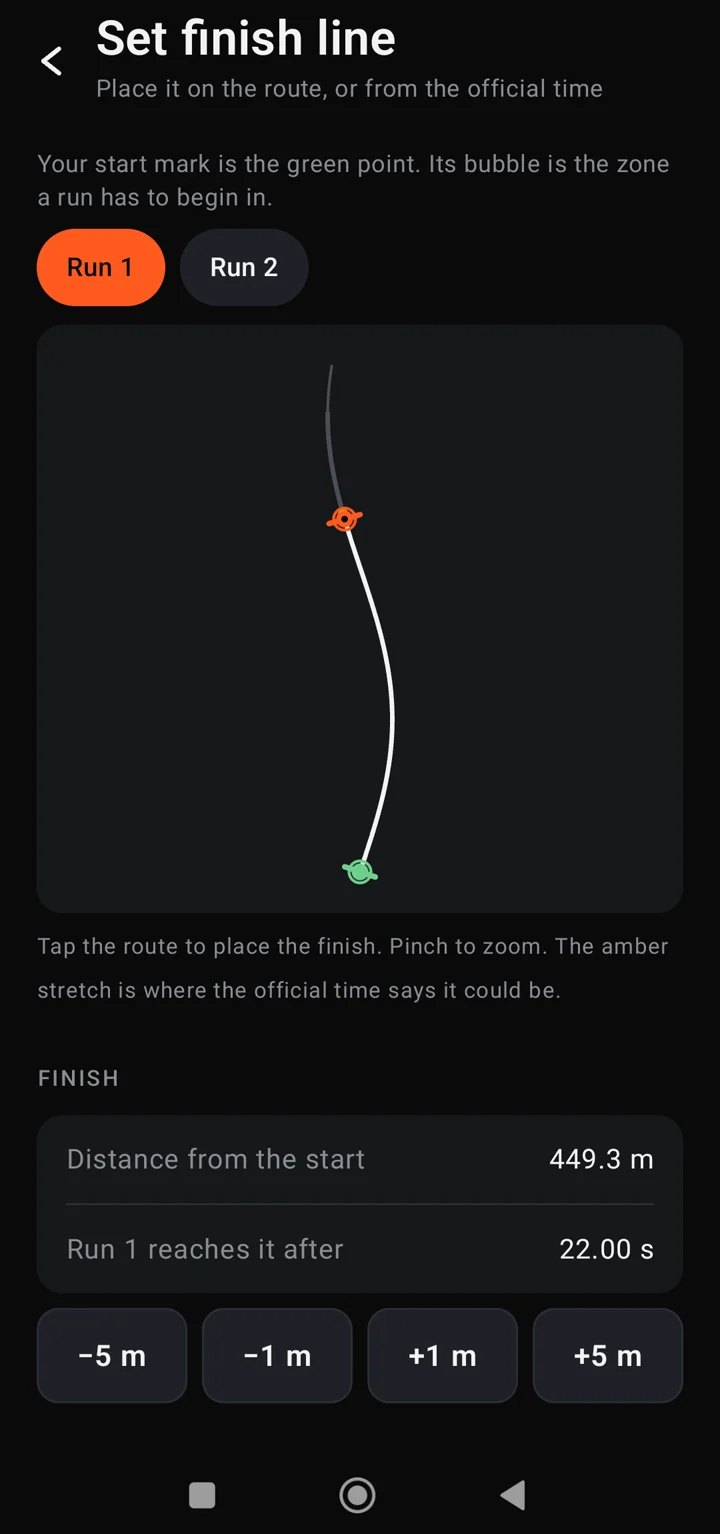
Real screen capturePlace the finish on a recorded route, then fine-tune it a metre at a time.
Point-to-point sprint runs Tested with sample data
Mark a start and finish, run the course, and see armed, running and finished states with direction and path-length checks.
Splits, optimal run and run comparison Verified in use
Run tables with splits and top speed, best segments, a theoretical optimal run and run-versus-run plots.
Seen on a phone with demo data.
Mark start and launch detection Tested with sample data
A small control, usable only while stopped, sets the start. The timer zero is found from the speed ramp, with a five second undo.
Performance and drag
Automatic standing and rolling pass detection with timeslips.
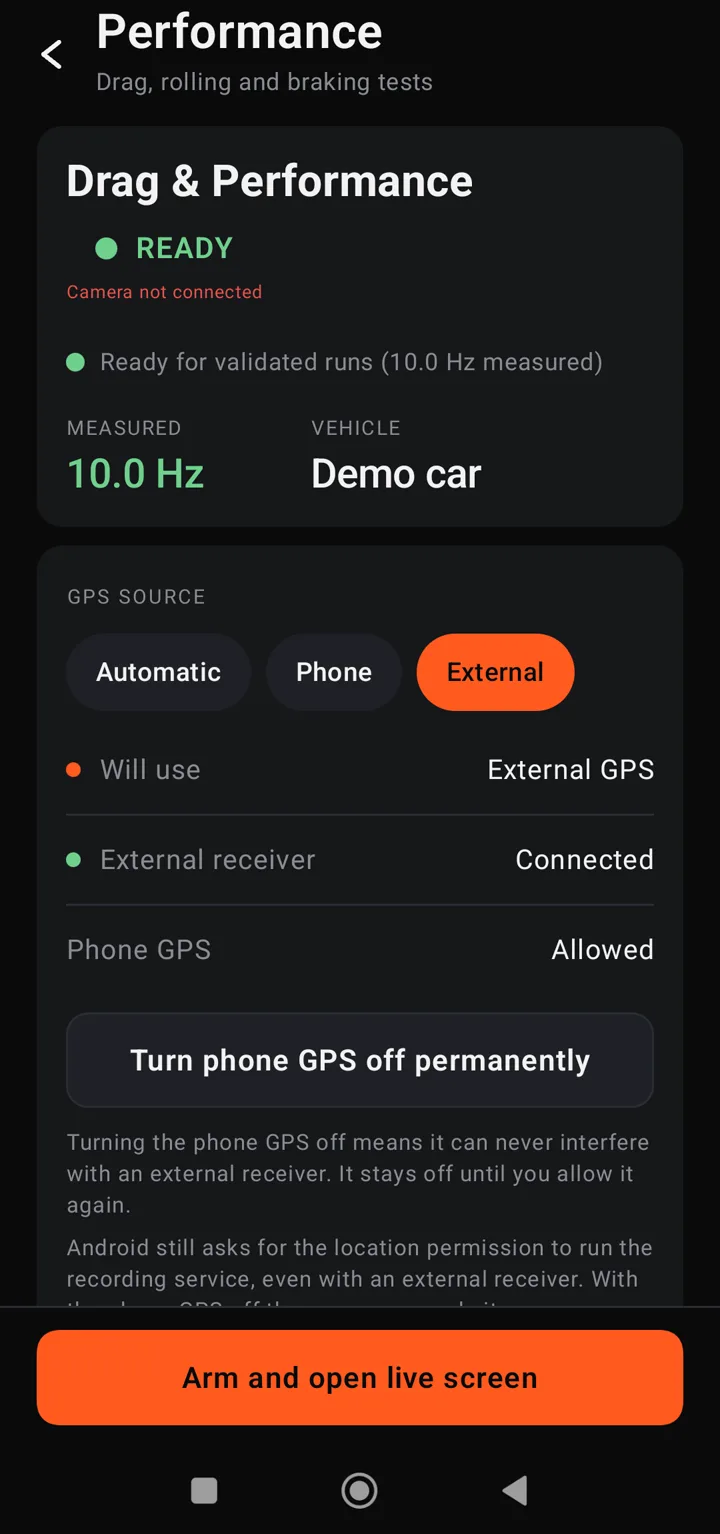
Real screen capturePerformance mode: GPS source choice and readiness, captured from the phone.
Automatic drag passes Tested with sample data
Standing and rolling passes are recorded without choosing a test first. Every test the pass reached is measured, including a one foot rollout.
Thresholds are starting values. Not yet confirmed in a real car.
Timeslips, history and personal bests Verified in use
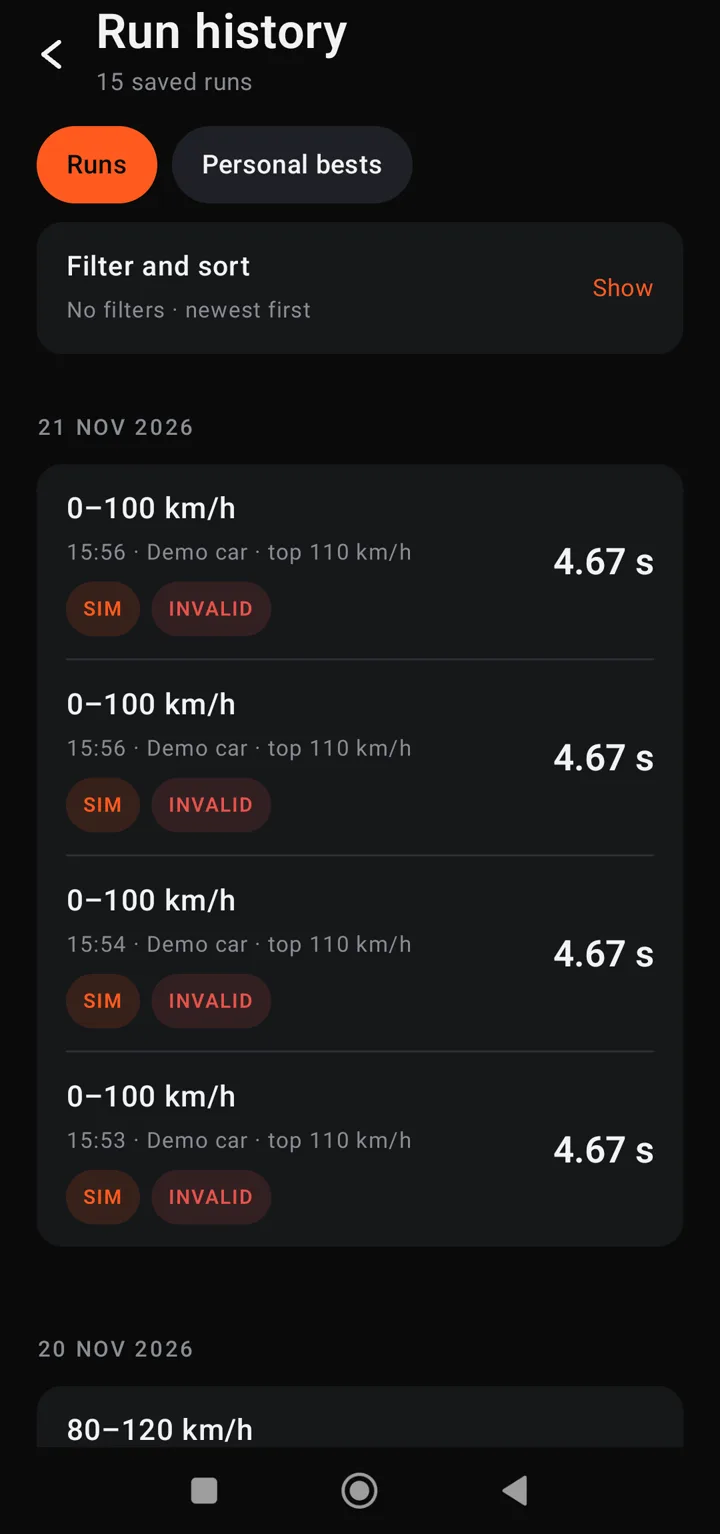
Runs are stored with a timeslip, history and personal bests. Simulated runs are stored but never ranked.
Seen on a phone with simulated runs, which the app tags SIM and never ranks. Real runs not yet confirmed.
Manual or barometer weather Built, not yet verified
Weather is entered by hand or taken from the phone barometer. There is no online lookup.
Analysis and exports
Lap tables, sector bests, optimal lap, plots and data you can take elsewhere.
Real screen captureRun history. Simulated runs are kept but tagged SIM and never ranked.
Lap and sector tables Verified in use
Lap and sector tables, best sectors, a theoretical optimal lap and lap-versus-lap comparison.
Seen on a phone with demo data.
Speed and delta plots with a linked map cursor Verified in use
Speed against distance and time delta, with a scrub cursor linked to the GPS trace.
Seen on a phone with demo data. Slider interaction not yet exercised.
Automatic G-force calibration Tested with sample data
Orientation is worked out silently from the accelerometer and GPS. Long and lateral g and peaks appear once calibrated.
Simulated drives only. Not yet verified in a real car.
CSV, GPX and JSON export Verified in use
Sessions export to the phone’s Downloads folder.
Tracks and courses
A venue library, start/finish lines, and your own courses.
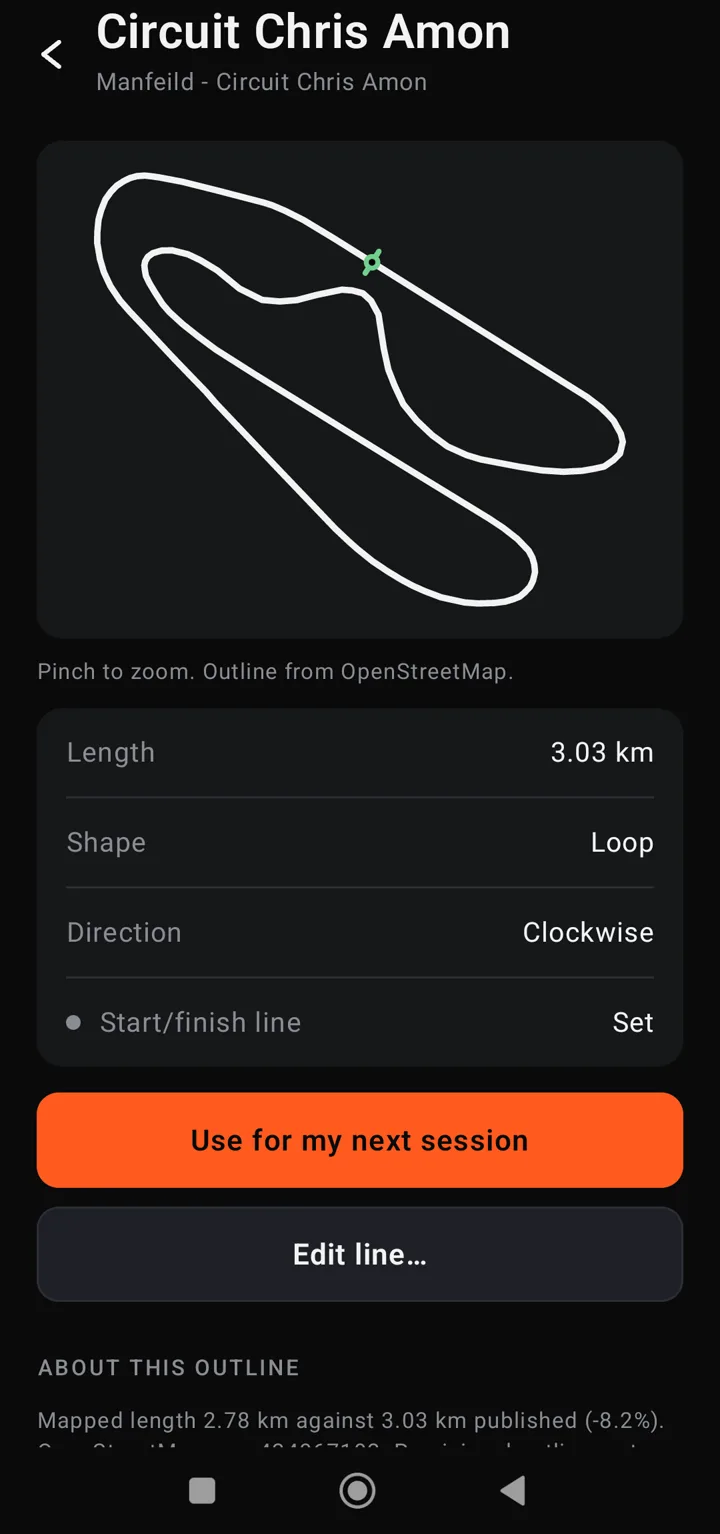
Real screen captureA venue layout. The outline comes from OpenStreetMap and says so on screen.
New Zealand venue library Verified in use
Venue names and outlines from OpenStreetMap (credited in the app), with developer-confirmed start/finish lines at several venues. Lines come from aerial imagery, are accurate to a few metres, and are not official timing lines.
The venue list and outlines were seen on a phone. Whether the start/finish lines time correctly at a real venue is not yet confirmed.
Your own courses Tested with sample data
Build courses from a recording, edit gates with a bubble tolerance, merge improved versions, and place a line on the venue map.
Map taps not yet exercised on a phone.
Run detection and editing Tested with sample data
Runs are found in a recording. Official times can be entered separately and never overwrite the GPS result.
GPS and hardware
Phone GPS or an external receiver, with measured rather than claimed rates.
Phone GPS Partial
Foreground-service recording with crash recovery. An interrupted session keeps its complete lines.
Recovery verified on a phone. Real outdoor fixes are not yet confirmed.
External GPS receiver Partial
A Bluetooth receiver has been measured at 10 fixes per second from real drive logs. USB GNSS support is written but has not met real hardware.
The measured 10 Hz is for one specific receiver. 25 Hz is not claimed.
GPS health and diagnostics Built, not yet verified
Distinct fixes per second from receiver time, satellites, signal quality and an event log. Simulated numbers are never shown as live.
Pre-run readiness Verified in use
A green or red READY indicator with a checklist of what is missing for the chosen mode.
The READY indicator was seen on a phone in demo mode.
Camera and events
Action-camera link, footage markers and event-day recaps.
Action camera start and stop Built, not yet verified
Bluetooth scan and record start/stop for a supported action camera. The app never reads, deletes or transfers footage.
Not yet checked against a real camera.
Footage sync markers Tested with sample data
Clip start times convert to positions in the clip so you can find the same moment in video.
Event-day recap Tested with sample data
A day’s recordings group into an event with a recap you can share as an image, PDF or CSV.
Backup and restore Verified in use
One-file backups. Restore never overwrites existing data. No account, ads or analytics.